

Record DRM-protected audio streams
Ondesoft Audio Recorder for Mac is a good solution to record DRM-protected audio or video streams on Mac and save them to your hard drive or portable MP3 player. Then you can view them anywhere while off-line. Even the DRM-protected audio streams purchased from sites are supported.


It is very easy to run this DRM-protected streaming recorder program on Mac.
Firstly,
you should add audio player or browser to the source panel. And then hit “Record” button.
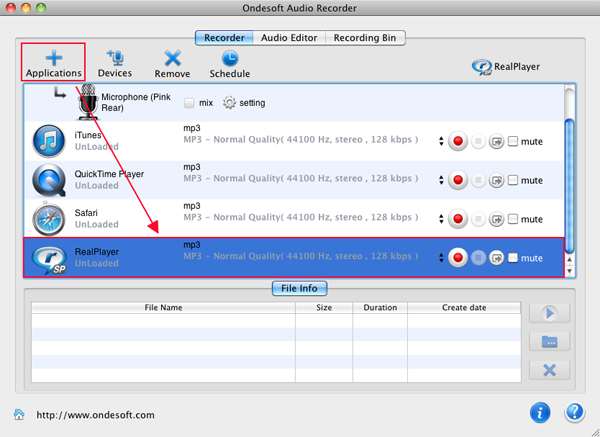
Now play the DRM-protected audio files you would like to record. The recorder software will capture the audio files seamlessly.
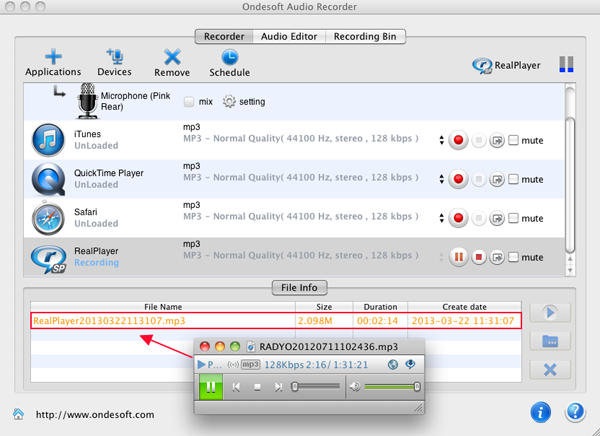
So if you need a recording tool to capture streams and remove the DRM from them, you can try Ondesoft Audio Recorder .
Audio Recorder

Record any audio from any applications to MP3, M4A, etc. on Mac OS.