Ondesoft Audio Recorder for Mac
Ondesoft Audio Recorder is a powerful and easy-to-use Mac audio recording software, with it, you can capture and record audio from any application on Mac (Safari, Firefox, Chrome, Skype, iChat, iTunes, Apple Music , VLC, QuickTime, FaceTime), record streaming music from YouTube, Apple Music, Spotify, Vimeo, Pandora, Lastfm, GrooveShark, and iTunes Radio, grab audio from Mic and CD player.
Ondesoft Audio Recorder for Mac features
Record any sound on Mac
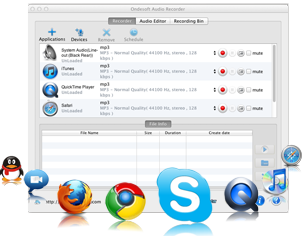
Record audio from any application on your Mac
- Capture audio from ANY application on your Mac: Safari, Firefox, Chrome, QuickTime, iTunes and many others.
- Grab audio clips from your favorite videos on sites such as YouTube and Vimeo on Mac.
- Works seamlessly with online radio sites, including Pandora, Lastfm, GrooveShark, and iTunes Radio.
- Record lossless music from streaming services: Apple Music, Spotify, YouTube Music, Amazon Music, Pandora, Deezer, Napster, Tidal, etc.
- Easily record digital phone calls from programs like Skype, iChat, FaceTime, and more.
- Use Ondesoft Mac Audio Recorder to record sound bites from your favorite movies with programs like DVD Player, VLC, QuickTime, and more.
- Or plug in a microphone, record player, or any other audio device to record song files straight to iTunes. simultaneously.
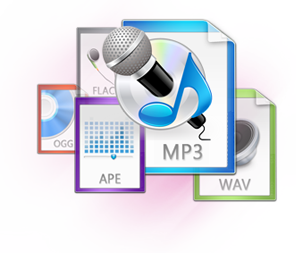
True and accurate reproductions with Ondesoft Audio Recorder Mac
- Records to all of the most popular audio formats including: MP3, AAC, AC3, AIFF, AU, FLAC, M4A, M4R, MKA, and OGG format.
- Record at a wide range of sample rate: anywhere from 8,000 to 96,000 Hz.
- Record sound, voice, music or any other audio on Mac.
- Ondesoft Audio Recorder Mac recordings achieve true lossless audio quality, meaning your recording and the original will sound precisely the same.
- Once your recording is finished, you can play your new audio file immediately within the Ondesoft Audio Recorder in order to ensure quality and accuracy.
Fully customizable interface lets you record and edit audio on Mac any way you want
- Get just what you need with the built-in Mac Audio Editor: cut down your recordings by setting the start and end points.
- Or use the editing functions to cut and splice audio clips on your Mac in to your own unique track.
- The easy-to-use interface reduces the most complicated tasks to just a few simple options that any user can readily understand.
- The built-in recording scheduler allows you to set start and end times for recording on a mac, perfect for band practice, lectures, or any other type of extended recording.
- Hotkey functionality allows users to assign hotkeys that can easily be used any time to start, pause, and stop recordings, making the recording process even faster and even easier.
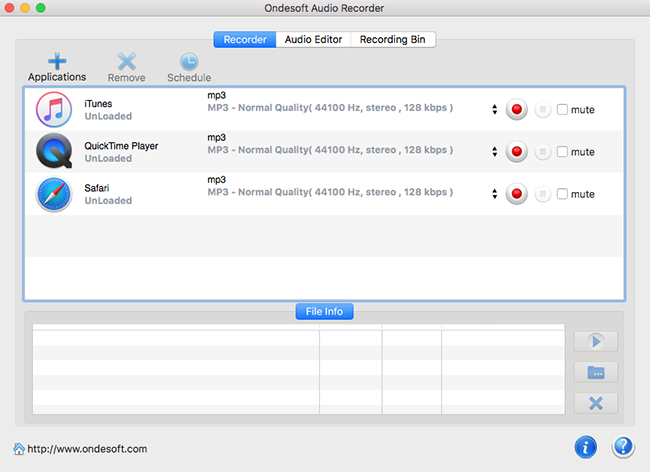
Best Mac Audio Recorder
- Streaming Music Recorder, YouTube audio recorder, Apple Music recorder
- Record your favorite music from any application on your Mac, like Safari, Chrome, QuickTime Player, iTunes, VLC, FireFox ...
- VoIP Recording , a one-click call recorder for Skype, iChat, Facetime .
- Record music from YouTube, Apple Music, Spotify, Pandora and many more.
- Use the built-in audio editor to trim all the fat, leaving you with exactly what you want and just what you need on your Mac.
- Record music to MP3,AAC,FLAC and many more popular formats.
- Save your time by recording from 4 applications simultaneously.
- Mute the recording while you are wokring.