
TIDAL Music Converter for Mac
Ondesoft TIDAL Music Converter for Mac enables you to download TIDAL songs, albums, and playlists and convert them to MP3, M4A, AAC, FLAC, WAV, or AIFF on your Mac. Save downloaded TIDAL songs to external hard drive, SD card or USB flash drive.
- Download TIDAL songs, albums & playlists on Mac.
- Convert TIDAL to MP3, M4A, AAC, FLAC, WAV, AIFF.
- Keep Hi-Fi quality & ID3 tags after conversion.
- No TIDAL app needed.
- Batch conversion and 10X faster download speed.
- Multi-lingual interface.
Try It Free
macOS 10.15 and later
Try It Free
Windows 10/11
Download TIDAL Music on Mac
- TIDAL offers a high-quality music streaming service, including lossless FLAC and high-resolution FLAC formats. Its official offline feature is designed for supported mobile devices, rather than providing standard audio files that can be freely managed in Finder.
- Ondesoft TIDAL Music Converter offers a different workflow. It allows you to select songs, albums, and playlists from TIDAL and save them in common audio file formats such as MP3, M4A, AAC, FLAC, WAV, and AIFF for playback and management on your Mac.
- Download TIDAL songs on any Mac for offline listening.
- Save TIDAL songs to USB drive, SD card, etc.
- Download TIDAL songs with HiFi Sound Quality on Mac and Windows.
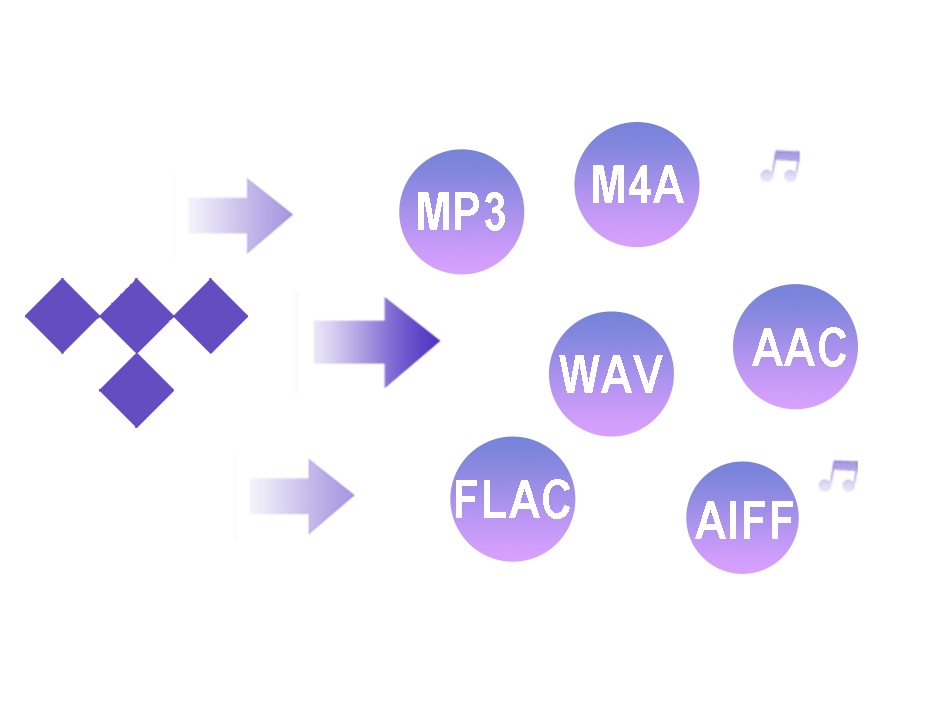
Convert TIDAL playlists to MP3/FLAC/M4A/AAC/WAV/AIFF
- All-in-one Tidal music converter dedicated to download and convert Tidal music, playlists, and albums to MP3, M4A, AAC, FLAC, WAV and AIFF at 10X faster. Download TIDAL songs to MP3, M4A or AAC in 320 kbps or lossless format FLAC, WAV and AIFF in up to 1411kbps for a crisp and robust music experience.
- TIDAL to MP3 - Wide compatibility and portable playback
- TIDAL to M4A - Good quality with efficient file sizes
- TIDAL to AAC - Compressed audio and device compatibility
- TIDAL to FLAC - Lossless music libraries
- TIDAL to WAV - Uncompressed audio
- TIDAL to AIFF - High-quality audio production
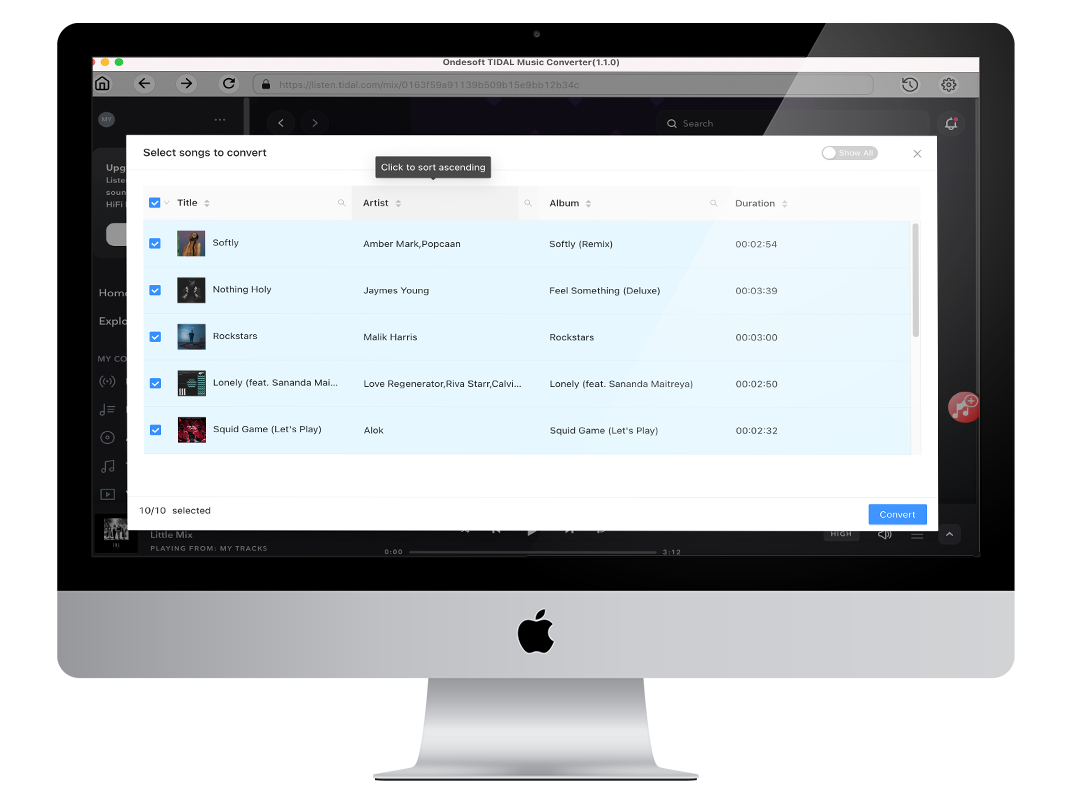
Built-in TIDAL Web Player
- Tidal Music Converter is a 100% clean tool used to download music from Tidal to your local computer as M4A, MP3, AAC, FLAC, WAV, AIFF files, as it has a built-in TIDAL Web Player. Browse TIDAL music directly inside Ondesoft without installing the TIDAL desktop app. Search for songs, albums, artists, and playlists, then select the music you want to convert. All songs are downloaded and converted from TIDAL, which is safe and accurate.
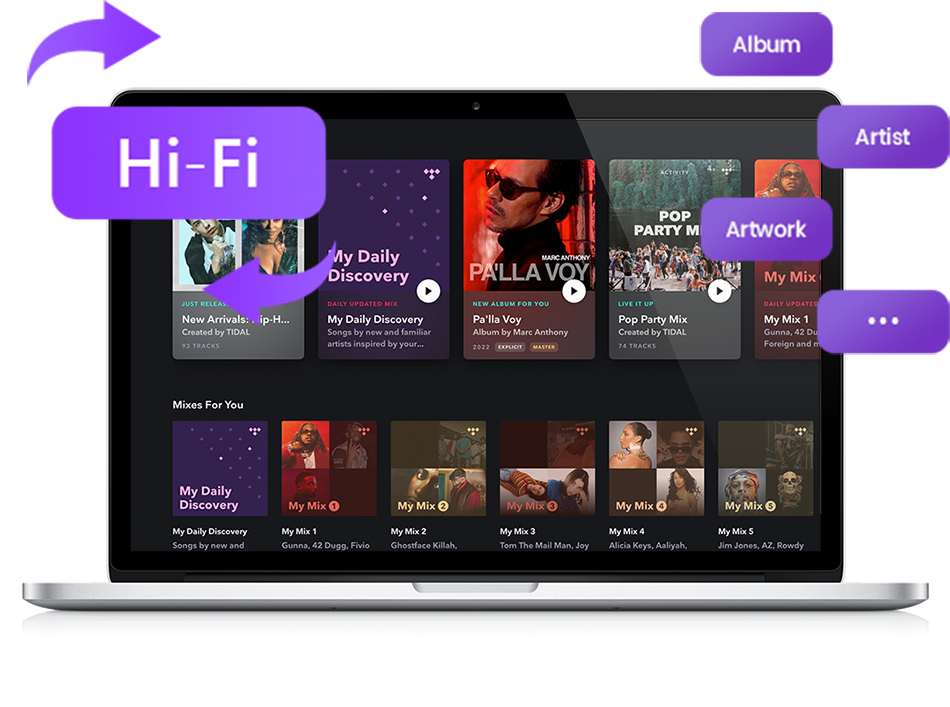
Keep TIDAL Hi-Res and Lossless Audio Quality
- TIDAL offers lossless FLAC and HiRes FLAC audio, with supported content reaching up to 24-bit/192 kHz.
- When converting TIDAL music, you can choose FLAC, WAV, or AIFF for lossless output, or MP3/M4A/AAC when you prefer smaller and more widely compatible files.
- Save ID3 tags and metadata such as title, artist, album, genre, album art, etc.
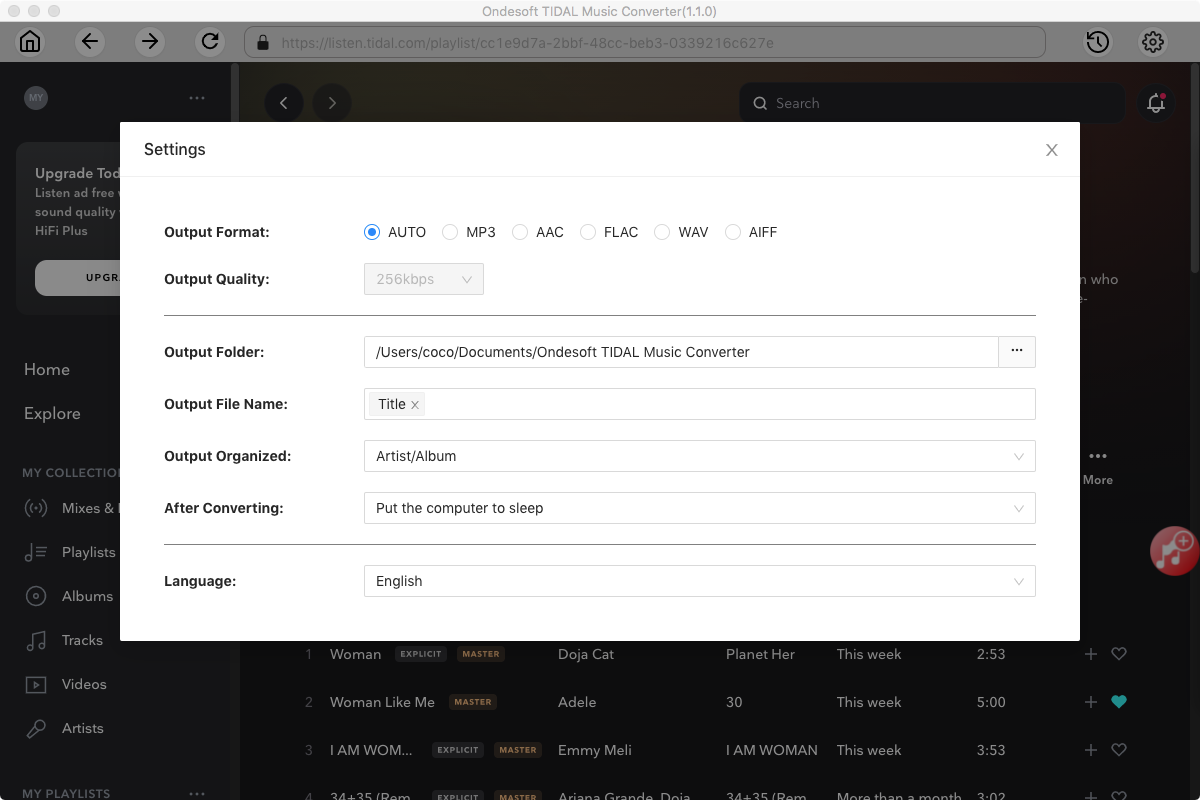
- Archive downloaded songs by artist or album.
- Or keep songs in the same order as the playlist.
- Download tracks with your own modified titles: title, artist, album, track ID, playlist ID, etc.
- Multilingual interface: English, Español, Français, Deutsch, 日本語, 简体中文.
How to download TIDAL to FLAC – 3 Simple Steps
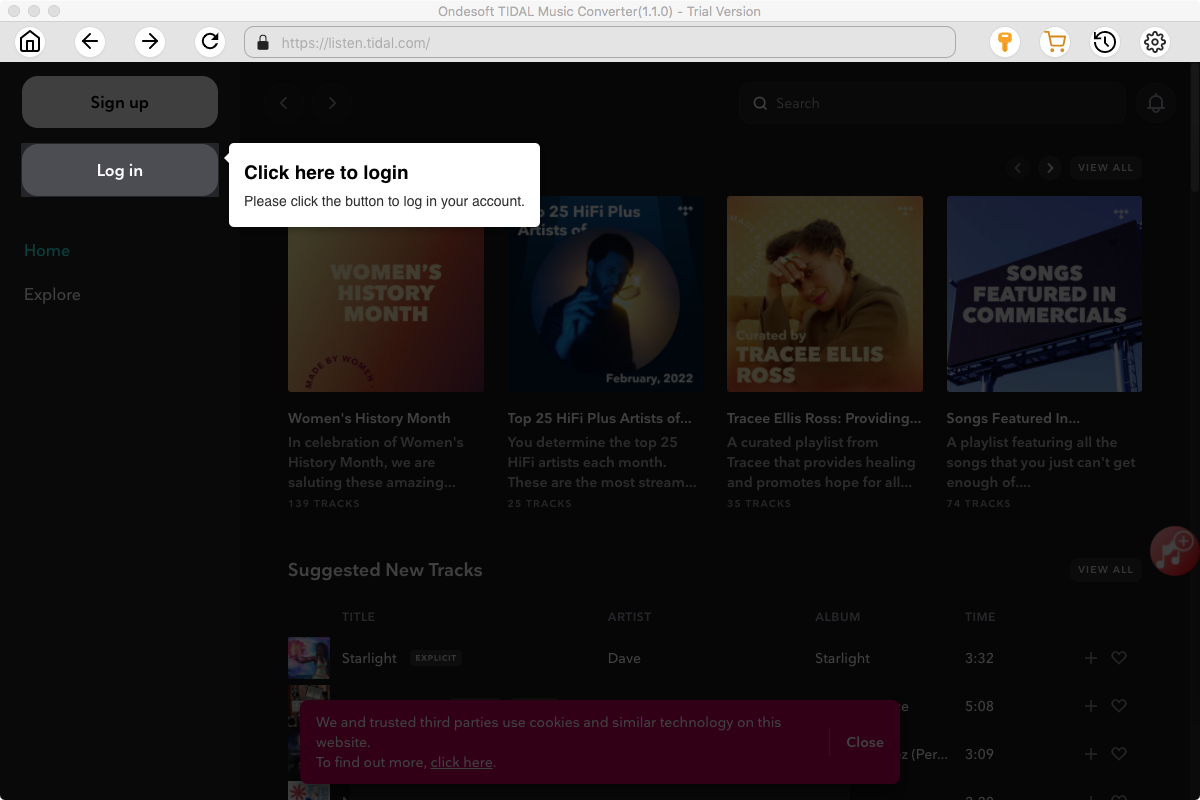
Step 1. Launch Ondesoft TIDAL Music Converter
Download, install and launch TIDAL Music Converter. Search for songs, albums, artists, or playlists with the built-in TIDAL web player.
Step 2. Customize Output Settings
Select FLAC format and customize the available audio settings.
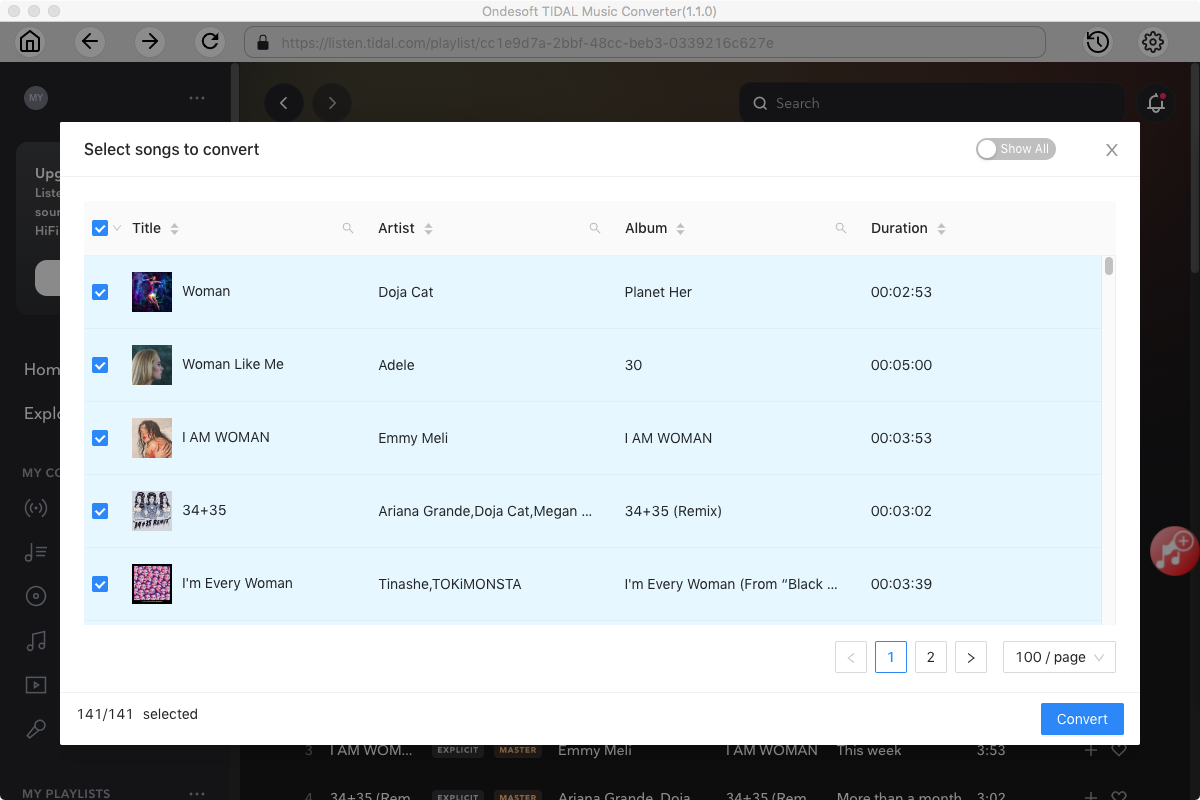
Step 3. Start Downloading
Select the songs you want and click Convert to save them to your computer.
Log in TIDAL account and select music
Frequently Asked Questions
Nope. Ondesoft TIDAL Music Converter comes with a built-in TIDAL web player which allows you to brlowse and select songs, albums and playlists to download directly.
Ondesoft TIDAL Music Converter works well with TIDAL Free in USA.
Yes, Ondesoft TIDAL Music Converter download any songs from TIDAL with all original ID3 tags preserved, such as title, album, artist, etc.
To download TIDAL songs with Hi-Fi quality, choose FLAC, WAV or AIFF as output format, up to 1411kbps.
Yes. Ondesoft TIDAL Music Converter lets you convert TIDAL songs, albums, and playlists to FLAC for lossless audio storage. You can also choose other formats such as MP3, M4A, AAC, WAV, and AIFF according to your needs.
Yes. Ondesoft TIDAL Music Converter supports downloading TIDAL playlists in batch. You can select an entire playlist and convert multiple tracks at once instead of processing each song individually.
Yes. After converting TIDAL music, you can choose a USB drive or another local folder as the output location. You can then transfer the converted audio files to compatible devices for playback.