
TIDAL to MP3 Converter for Windows
Ondesoft TIDAL to MP3 Converter is an excellent TIDAL music converter to convert TIDAL songs, albums, playlists and podcasts to MP3, M4A, AAC, FLAC, WAV, AIFF format with Hi-Fi quality and ID3 tags kept.
- Download TIDAL songs on Mac&Windows.
- Convert Tidal songs to MP3, M4A, AAC, FLAC, WAV, AIFF.
- Keep Hi-Fi quality & ID3 tags after conversion.
- No TIDAL app needed.
- Batch conversion and 10X faster download speed.
- Multi-lingual interface.
Try It Free
macOS 10.15 and later
Try It Free
Windows 10/11
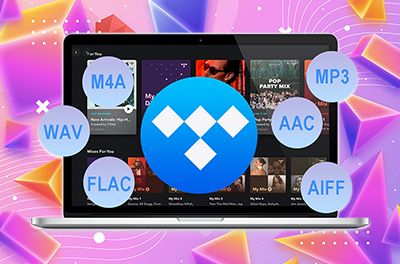

Download TIDAL songs on Windows
- Ondesoft TIDAL Converter enables you to download songs from TIDA Premium and HiFi and convert them to M4A, MP3, AAC, FLAC, WAV, AIFF on your Mac and Windows. Save downloaded TIDAL songs to external hard drive, SD card or USB flash drive. Or transfer them to any tablet, phone and music player for offline playback without the need to install TIDAL app.

Convert TIDAL songs to M4A/MP3/AAC/FLAC/WAV/AIFF
- Ondesoft TIDAL Converter is an awesome audio recording tool, which is used to convert Tidal songs, albums and playlists to MP3, M4A, AAC, FLAC, WAV and AIFF format. Besides, you can choose the output quality on Settings.

Built-in TIDAL Web Player
- Tidal Music Converter allows you to download TIDAL songs on any Mac or Windows, whether you have TIDAL app installed or not. It has a built-in TIDAL web player for you to download music to the format you want.

Keep Hi-Fi audio quality & ID3 tags
- Tidal Music Converter converts Tidal songs, albums and playlists in batch at a maximum of 10X faster speed. It keeps original audio quality and ID3 tags after conversion.
- The original ID3 tag information including song title, album, artist, and album cover can be automatically saved to the output songs. You can also organized output songs by Artist/Album or name the songs as you like.
- Save ID3 tags and metadata such as title, artist, album, genre, album art, etc.
- Archive downloaded songs by artist or album.
- Or organize downloaded songs in the original playlist order..
- Multilingual interface: English, Español, Français, Deutsch, 日本語, 简体中文.
How to download TIDAL to FLAC – 3 Simple Steps
Step 1. Launch Ondesoft TIDAL Music Converter
Download, install, and launch TIDAL Music Converter. Use the built-in TIDAL web player to search for songs, albums, artists, or playlists.
Step 2. Customize Output Settings
Select the FLAC format and customize the available audio settings.
Step 3. Start Downloading
Select the song you want, then click “Convert” to save it to your computer.
Log in TIDAL account and select music


Frequently Asked Questions
Nope. Ondesoft TIDAL Music Converter comes with a built-in TIDAL web player which allows you to brlowse and select songs, albums and playlists to download directly.
Ondesoft TIDAL Music Converter works well with TIDAL Free in USA.
Yes, Ondesoft TIDAL Music Converter download any songs from TIDAL with all original ID3 tags preserved, such as title, album, artist, etc.
To download TIDAL songs with Hi-Fi quality, choose FLAC, WAV or AIFF as output format, up to 1411kbps.