
Audible Converter for Windows
Ondesoft Audible Converter is a professional AAX to MP3 converter that allows you to convert aa/aax audiobooks to lossless M4A, MP3, M4B, AC3, AAC, FLAC, OGG, AIFF and WAV with Ondesoft Audible Converter for Windows. High output quality, fast conversion speed. Then you can play and enjoy Audible audiobooks on any device you want. Audiobook chapter information will be preserved in the output M4A files - easy for you to start where you stop before.
Try It Free
Windows 10/11

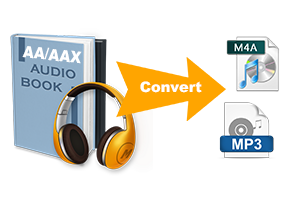
Convert AAX to MP3, M4A, M4B and More
- Whether you prefer your audiobook files in MP3 format or FLAC (Free Lossless Audio Codec), you can use Ondesoft Audible Covnerter to convert your audiobook files easily.
- As for the conversion format, we strongly recommend you to choose the lossless M4A, not only because the extremely fast conversion speed and lossless sound quality, but like aa/aax, the m4a format preserves the audiobook chapter information. You know how important the chapter is for an audiobook with dozens of hours. In addition, the converted audiobook retains all the original metadata, and you can edit them before conversion.
Play Your Audible Audiobooks on More Devices
- Audible has the World's largest library of audiobooks. Audible audiobooks are DRM protected, even though you have purchased and downloaded them to your computer, you can only play them with Audible or Apple Books app on Mac, AudibleSync and iTunes app on Windows 10. Remove Audible DRM from the audiobooks, then you can play them with any audio player on any computer without the need to authorize. Convert Audible aax files to mp3 and m4a. Then you can play Audible audiobook with any app such as QuickTime, VLC, Windows Media Player, etc.
Preserve Audiobook Chapters and Metadata
- Audiobook chapter information is especially important for long titles that may contain dozens of hours of content.
- Ondesoft Audible Converter can preserve available audiobook metadata during conversion, helping you keep your converted files organized.
- For chapter preservation, M4A is the recommended output format.
- You can also edit available metadata before conversion and retain information such as audiobook title, artist, album, and chapter data.


Split Long Audiobooks by Chapters or Duration
- Long audiobooks can be difficult to manage as a single large file.
- Ondesoft lets you split audiobooks by chapter or duration, giving you more control over how your converted files are organized.
- This can be useful when you want separate files for individual chapters or smaller sections of a long audiobook.
Batch Convert Multiple Audible Audiobooks
- Add multiple AA or AAX files to Ondesoft Audible Converter and process them in batch. This makes it easier to convert an entire audiobook collection without repeating the same steps for every file.
- Convert multiple audiobooks at once.
- Apply your preferred output format to multiple files.
- Process long audiobook collections more efficiently.
- Keep your output files organized in your selected folder.

Speed and convenience, at your fingertips
- When it comes to converting Audible drm audiobook to drm-free, what are the aspects you are most concerned about? The aduiobook quality after conversion and conversion speed, right? Ondesoft Audible Converter is also very concerned about these two aspects. It can convert audible aa/aax audiobook to lossless m4a format in a very fast speed, a few dozen hours of audiobook can be converted in seconds.

User-friendly Audible Converter
No Audible app needed, just make sure you have download the Audible audiobooks to your computer. Drag&drop them to Ondesoft Audible Converter and then click Convert.
- Convert Audible proprietary .aa/.aax files to plain .mp3 or .m4a/.m4b.
- Super-fast lossless conversion.
- Split large audiobook by chapters or duration.
- No Audible app or authorization needed.
- Batch conversion allows you to convert entire audiobook collection.
- Change codec, bitrate, sample rate, and channels.
- Manage and preserve all meta-tag information, including chapter meta data.
- Support very long audiobooks.
- Run on both Mac and Windows.
Frequent questions
No. To convert Audible audiobooks with Ondesoft Audible Converter, you don't need to have Audible app installed on your computer.
You can convert Audible audiobook of any length with Ondesoft Audible Converter.
Yes, to save audiobook chapters, please convert to m4a format.
When converting to lossless m4a, the conversion speed can reach 700x. When converting to other formats, the speed is 13x.
Yes. Ondesoft Audible Converter for Windows can convert compatible Audible AA/AAX audiobook files to MP3 and other supported formats.
Yes. M4A is supported and is the recommended output format when you want to preserve audiobook chapter information.
Yes. M4B is one of the supported output formats.