

SoundCloud to MP3: Download SoundCloud Songs as MP3
Want to save your SoundCloud songs as MP3 files for offline listening? While SoundCloud offers offline listening for some subscribers, its built-in download function doesn't provide standard MP3 files that you can freely save, transfer, or play outside the SoundCloud app.
If you want to download SoundCloud songs as MP3s, you'll need a third-party SoundCloud to MP3 downloader. Depending on your needs, you can use free command-line tools (such as yt-dlp), online downloaders (such as ScloudSave), or dedicated desktop applications (such as Ondesoft SoundCloud Downloader).
In this guide, we'll explain the difference between SoundCloud's offline listening feature and actual MP3 downloads, show you how to convert SoundCloud songs to MP3 format, and compare the best SoundCloud to MP3 downloaders currently available.
Whether you want to download a single SoundCloud song or convert multiple songs from a playlist, you'll find the right method below.
1. Can You Download SoundCloud Songs as MP3?
Yes, if you want to save SoundCloud songs as MP3 files on your Mac or Windows PC, you need a separate tool that supports downloading and audio conversion. Depending on the available content, you can use solutions such as yt-dlp, an online SoundCloud downloader, or dedicated desktop software such as Ondesoft SoundCloud Downloader.
2. Best SoundCloud to MP3 Converters
There are several ways to download SoundCloud playlists, from command-line tools to online downloaders and dedicated desktop software. The best option depends on whether you want a free technical solution, a quick browser-based downloader, or a more convenient tool for downloading playlists in batches.
Here are three options worth considering: yt-dlp, ScloudSave, and Ondesoft SoundCloud Downloader.
1. yt-dlp – Best Free SoundCloud to MP3 Converter
yt-dlp is a free and open-source downloader that supports SoundCloud and many other online platforms. It is particularly useful for users who are comfortable with Terminal on Mac or Command Prompt on Windows.
Follow the instructions to install yt-dlp on your computer. To extract a SoundCloud track and convert it to MP3, run:
yt-dlp -x --audio-format mp3 "SOUNDCLOUD_URL"
yt-dlp is powerful because it supports batch downloads, playlists, custom output filenames, and many other options. However, it is not the easiest solution for beginners. MP3 conversion also requires FFmpeg, so you may need to install and configure an additional tool.
Best for: users who want a free, open-source SoundCloud to MP3 solution and don't mind using command-line tools.
Pros
- Free and open source
- Supports individual tracks and playlists
- MP3 conversion
- Offers many command-line options for customization
- Works on Windows, macOS, and Linux
Cons
- Requires Terminal or Command Prompt
- MP3 conversion requires FFmpeg
- Setup can be confusing for beginners
- Some SoundCloud tracks may not be downloadable because of DRM or other access restrictions
- Less convenient for beginners
2. ScloudSave – Best Online SoundCloud to MP3 Downloader
ScloudSave is a browser-based SoundCloud downloader that lets you download SoundCloud content without installing desktop software. Simply open the website, paste a SoundCloud URL, and follow the available download options.
Because everything runs in a web browser, ScloudSave can be convenient when you only need to download a few SoundCloud tracks and don't want to install yt-dlp, FFmpeg, or another application.
However, online downloaders can have limitations when processing certain URLs or playlists. Their ability to fetch SoundCloud content may also depend on the type of track or playlist and the availability of the online service.
Best for: users who want a quick browser-based solution for occasional SoundCloud downloads.
Pros
- No software installation required
- Works directly in a web browser
- No command-line knowledge needed
- Convenient for individual tracks
- Easy to use
Cons
- Can't download personalized playlists automatically generated by SoundCloud Discover
- Large playlists may not always be downloaded successfully
- Online services can experience server or fetching errors
- Availability can depend on the SoundCloud URL and the content
- You have less control over download and file-naming options than with a desktop application
3. Ondesoft SoundCloud Downloader – Best for Easy SoundCloud to MP3 Downloads
Ondesoft SoundCloud Downloader is a desktop application designed for users who want a simpler way to download SoundCloud tracks and playlists and save them as MP3 files.
Unlike yt-dlp, you don't need to work with Terminal commands or manually configure FFmpeg. Instead, you can use a graphical interface to manage SoundCloud downloads, making the process easier for users who prefer a straightforward workflow.
Ondesoft is particularly useful when you want to download multiple tracks at once. Rather than processing each URL individually, you can work with playlists and batch downloads through the application.
Best for: users who want a user-friendly desktop SoundCloud to MP3 downloader with batch downloading support.
Pros
- Easy-to-use graphical interface
- Supports SoundCloud playlist downloads
- Supports batch downloading
- Can save SoundCloud audio as MP3
- No command-line operation required
- More convenient for users who don't want to configure yt-dlp and FFmpeg
- Suitable for downloading multiple tracks in a playlist
In our test of a SoundCloud playlist containing 29 tracks, yt-dlp successfully downloaded 22 tracks while several others failed with a DRM-related error. ScloudSave was unable to fetch the playlist and returned a server error. Ondesoft successfully processed the playlist in our test.
Best for: users who want a straightforward desktop SoundCloud playlist downloader without dealing with Terminal commands or FFmpeg configuration.
Which SoundCloud to MP3 Converter Should You Choose?
Choose yt-dlp if you want a free and highly customizable solution. Choose ScloudSave if you only need an online downloader for occasional use. If you regularly download SoundCloud songs or playlists and prefer a graphical interface, Ondesoft SoundCloud Downloader provides a more convenient workflow.
4. SoundCloud to MP3 vs. SoundCloud Offline Listening
| Feature | SoundCloud Offline Listening | SoundCloud to MP3 Converter |
| Requires SoundCloud subscription | Yes | Depends |
| Listen without Internet | Yes | Yes |
| Regular MP3 file | No | Yes |
| Play outside SoundCloud | No | Yes |
| Organize files in folders | No | Yes |
| Transfer to other media players | No | Yes |
5. Can You Convert a SoundCloud Playlist to MP3?
Yes. A SoundCloud playlist can contain multiple tracks, and compatible downloaders can process the tracks in batches and convert them to MP3. For a detailed step-by-step guide, see SoundCloud Playlist Downloader: How to Download SoundCloud Playlists to MP3.
6. How to download SoundCloud to MP3 with Ondesoft SoundCloud Downloader
1. Install and Launch Ondesoft SoundCloud Downloader
Download and install Ondesoft SoundCloud Downloader on your Windows PC or Mac. Launch the program after installation.


Log in your SoundCloud account.
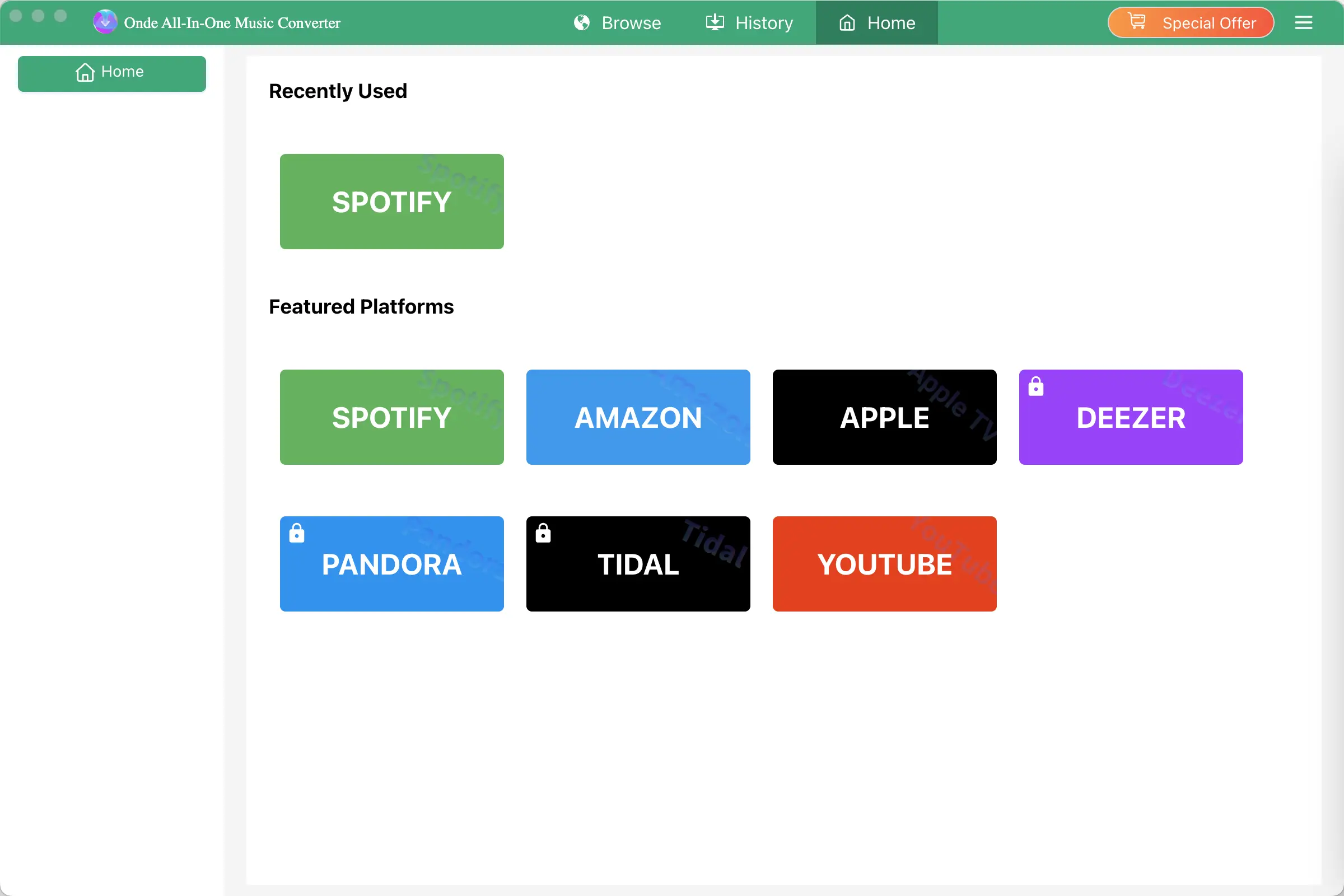
Click the Key icon to register it if you have purchased a license. If you don't have a license, go ahead with the free trial version.
2. Choose Output Format and Audio Quality
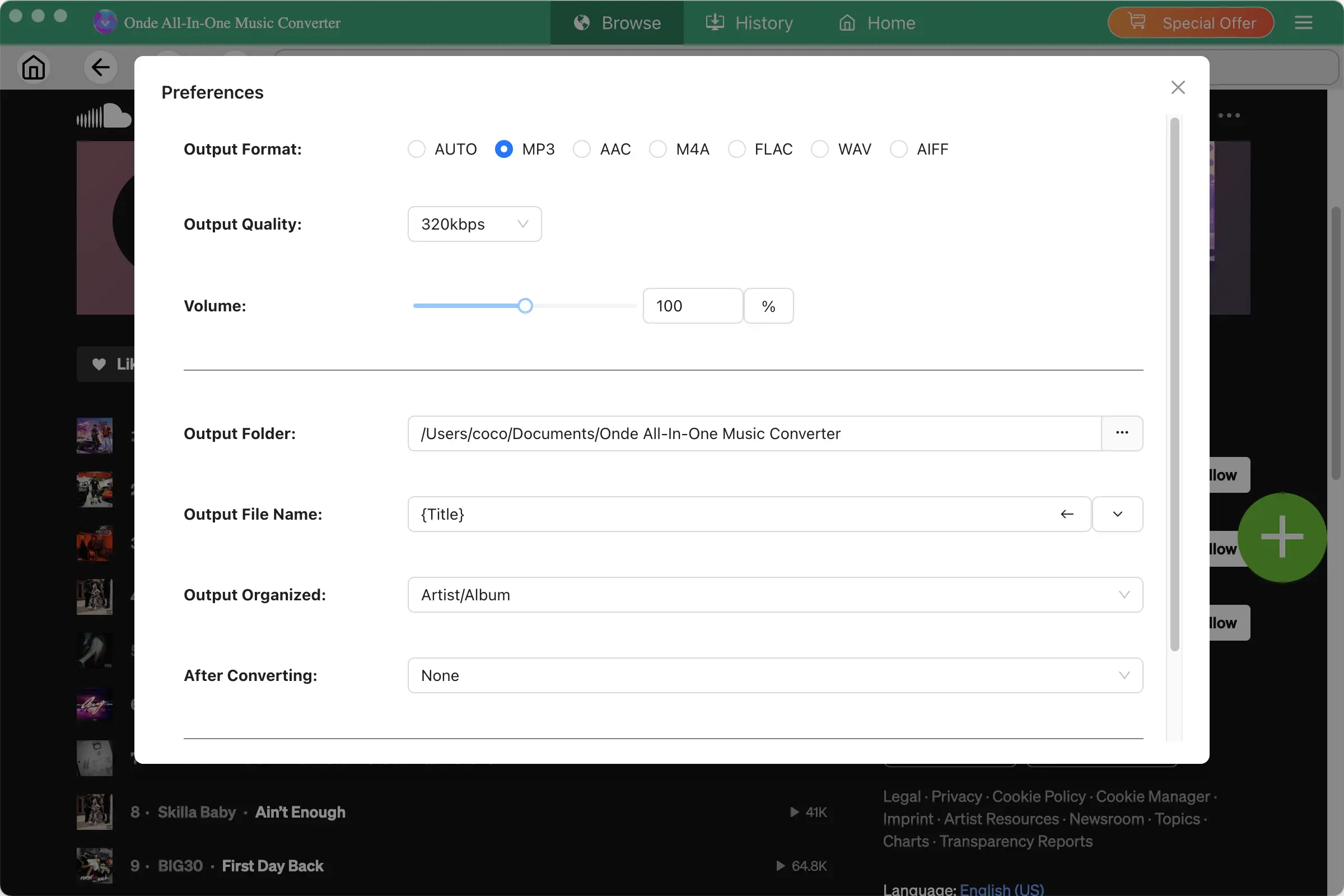
Click the gear icon in the top right corner of the main window to open Settings windows. You can change output format or output song quality as you wish. There are many quality options for each format. You can pick the one that suits you best.
Output File Name: name the songs with any combination of Title, Artist, Album, Playlist Index, Track Number. For example, if you choose Title and Artist, Tylor Swift's song Lover will be named as Lover Tylor Swift.mp3.
Output Organized: organize downloaded songs by Artist, Album, Artist/Album or Album/Artist.
3. Find the SoundCloud Music You Want to Download
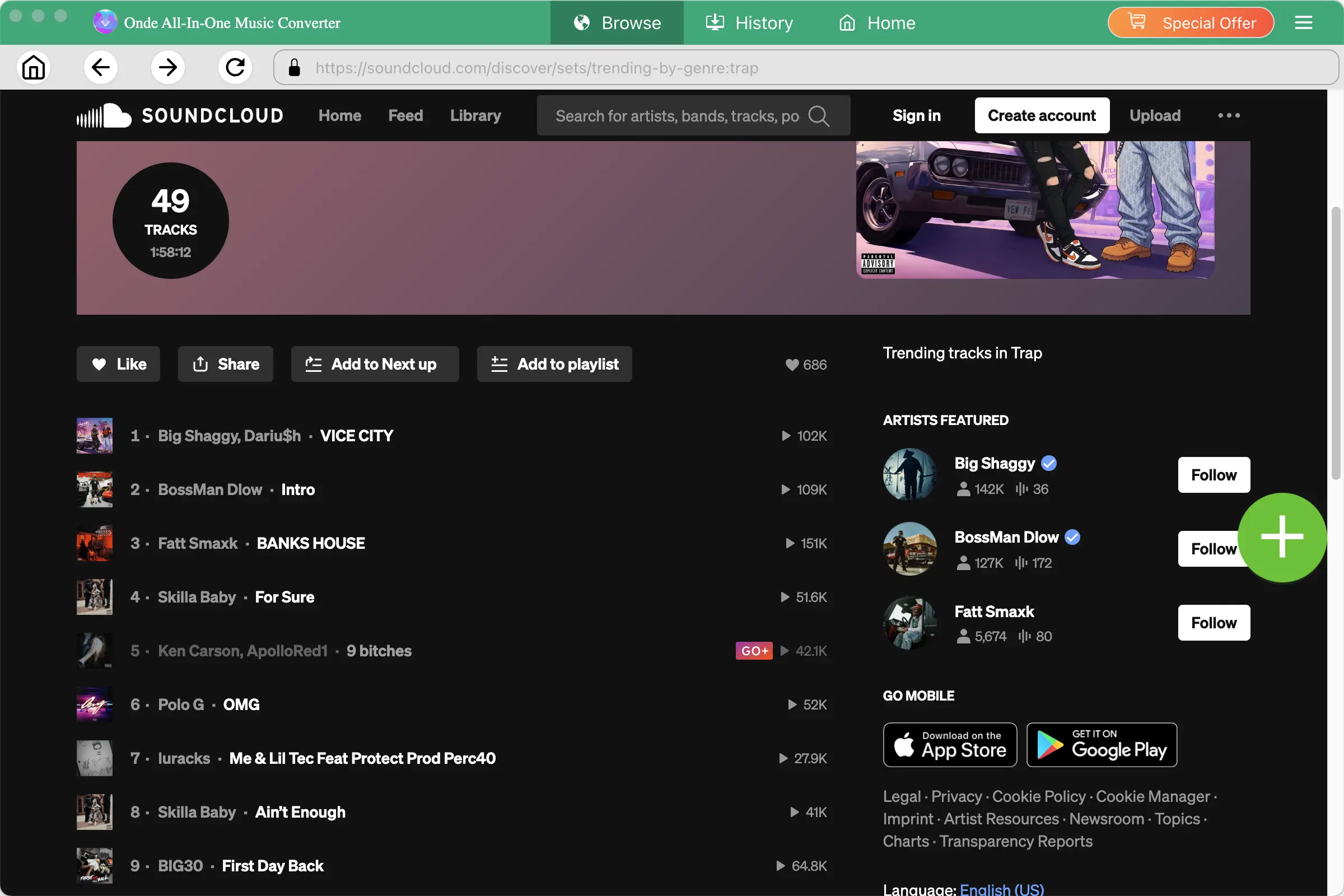
Browse SoundCloud using the built-in web player and find the track, playlist, or album you want to save.
You can search for music by:
- Song title
- Artist name
- Album
- Playlist
Open the track or playlist to view its available content.
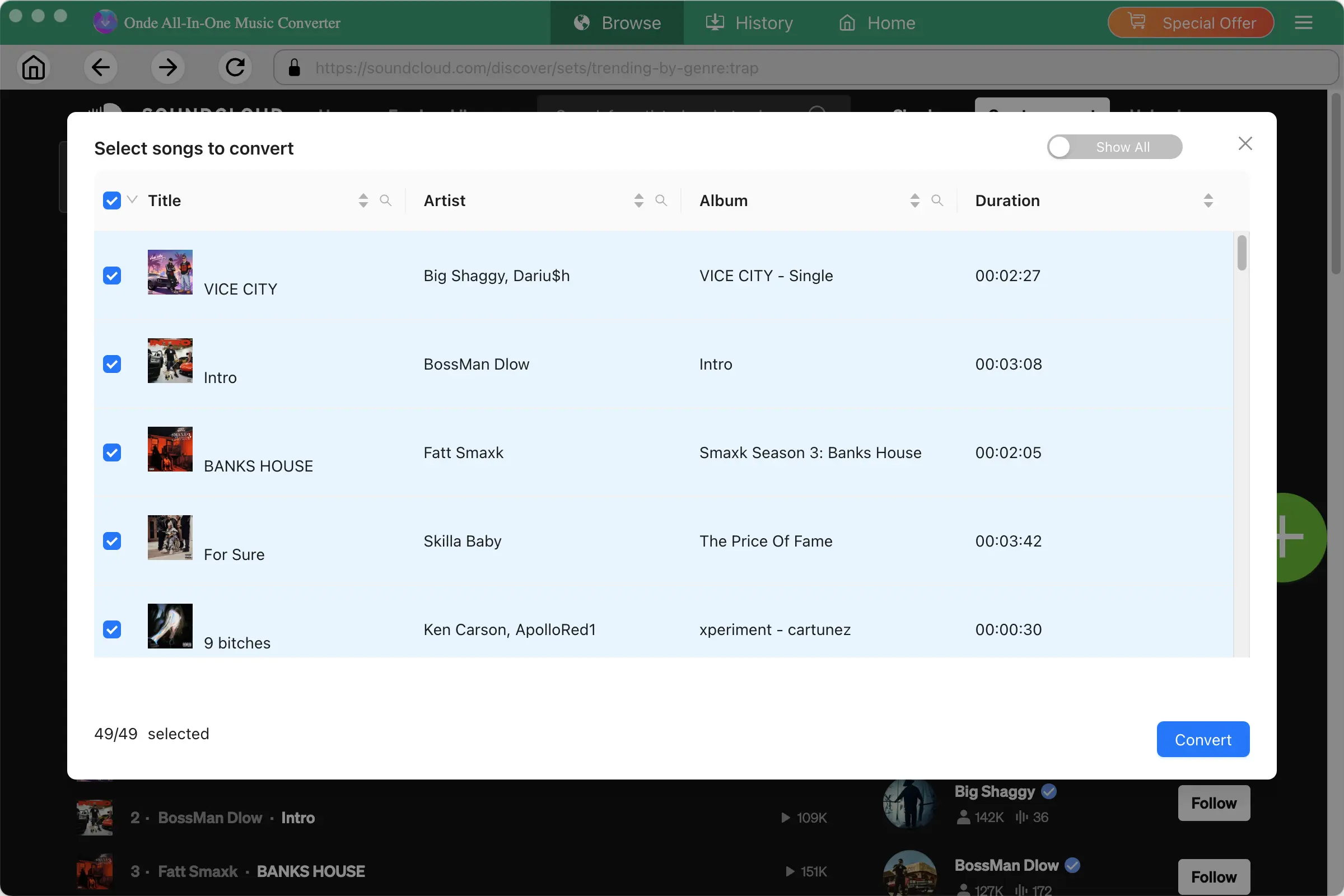
If multiple audio options are available, select the audio track you want to keep.
4. Start Downloading SoundCloud Music
After configuring your settings, click Convert to start. For playlists and albums, Ondesoft can process multiple tracks in batch, saving you from downloading each song individually.
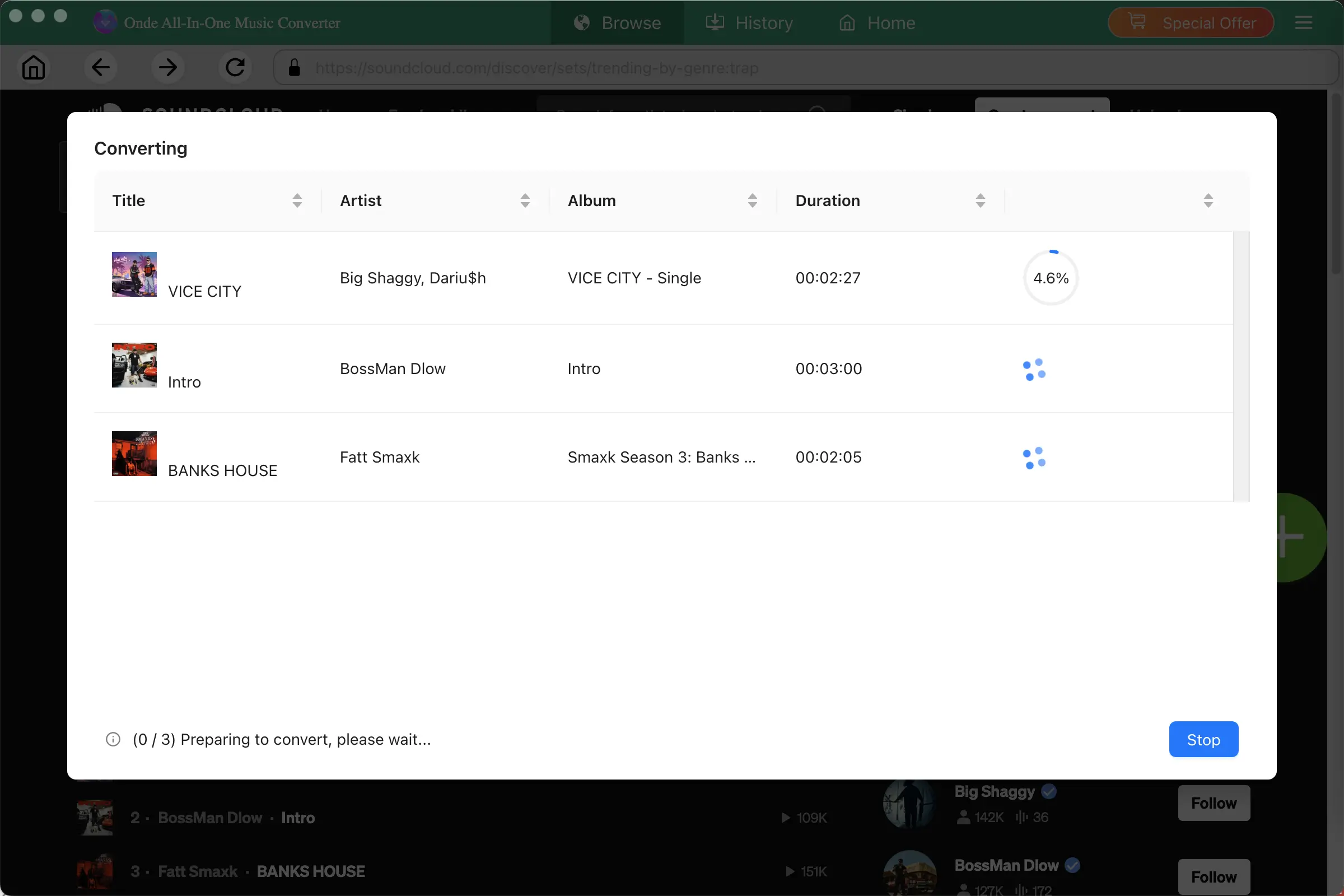
When the download is complete, open the output folder to find your downloaded files. You can then organize the files in your local music library or play them with compatible media players.
SoundCloud Downloader

Download and Convert SoundCloud Music to MP3, M4A, FLAC, etc. on Mac&Windows