

Spotilife IPA for iOS: Features, Installation and Alternatives
Spotilife offers a convenient way to get Spotify Premium features for free on iOS devices without jailbreak. By installing this tweak, you can enjoy ad-free streaming, and unlimited skips. Unlock the power of Spotify Premium with Spotilife and enhance your listening pleasure on iOS. However, it can't download Spotify songs for offline playback. If you need to play Spotify offline, use Pazu Spotify Converter to download Spotify songs to MP3, M4A, etc.
Note: Spotilife stopped working on new Spotify versions. To get new Spotify tweak, install EeveeSpotify.
Related:
What is Spotilife?
Spotilife is the tweaked version for the official Spotify app that enables some premium features for free. The Spotify IOS app tweak is able to removes ads, removes limited skips, and almost every other premium feature. One main premium feature that does not work is offline downloads, as this is done server-side.
Is Spotilife not working?
Several months ago, Spotilife, the only tweak to get Spotify Premium, stopped working on new Spotify versions. Curently 8.6.42 with Spotilife 1.8 still works because it does not contain the new UI. Or yo can get EeveeSpotify.
What's the difference between Spotify++, Spotilife and EeveeSpotify?
The first generation of Spotify crack was called Spotify++, then Spotilife. When Spotilife didn't work on the newer versions of Spotify, programmer whoeevee decompiled Spotilife, reverse-engineered Spotify, intercepted requests, etc., and created EeveeSpotify.
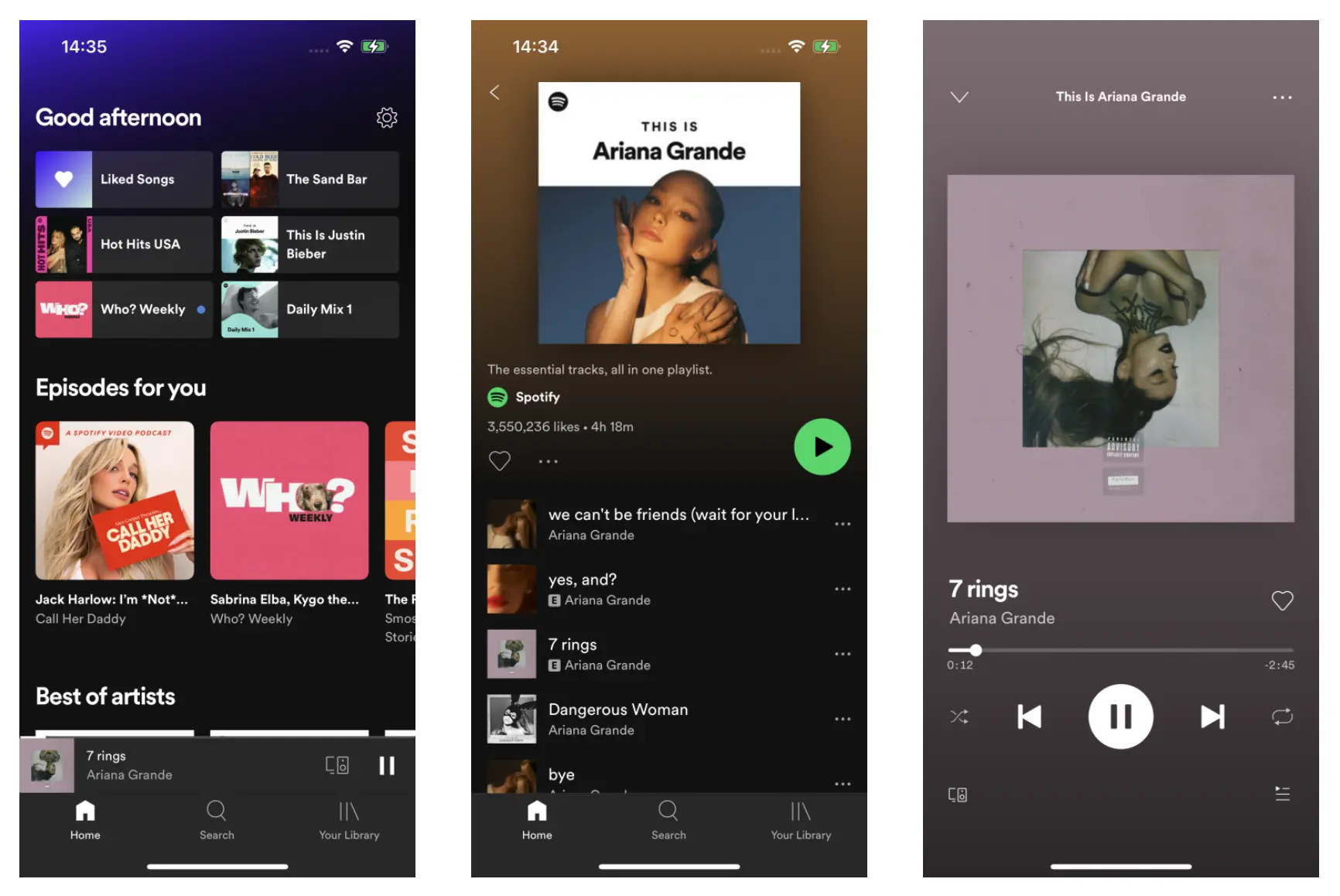
How to install Spotilife on iOS?
Spotilife can'e be installed from App Store as it is a tweak app. You need to download Spotilife ipa file and sideload it with SideStore.
Step 1. Install SideStore on you iPhone or iPad
SideStore is an iOS application that allows you to sideload any .ipa files onto your iOS device without jailbreak. SideStore resigns apps with your Apple ID, and then uses a specially designed VPN in order to trick iOS into installing them. A computer is required for the initial setup, but after that you can sideload apps directly on your iOS device.
You will need a Mac or Windows computer to install SideStore on you iPhone or iPad, here we will take Mac as example. To get started, you will need:
- A Mac running macOS 10.15 or later or a PC running Windows 10 or later
- An iCloud account (a burner account is recommended)
- An Internet connection
- An iPhone or iPad with iOS 14 or iPadOS 14 or later
1. Install SideServer on your Mac or Windows.
Download SideServer on your Mac or Windows. Here we use Mac. Open the downloaded file and drag SideServer.app to your Applications folder. Then open the app. You may need to right click and select "Open" if you get a warning.
SideServer for Mac
SideServer for Windows
2. Install SideStore on your iPhone or iPad.
- Connect your iPhone or iPad to your computer via a cable
- Trust your computer on your device (if prompted)
- Launch SideServer and click Install SideStore from the SideServer icon in the menu bar
- Follow the instructions to install SideStore on your iPhone/iPad (you may need to enter your iCloud account login details)
- If you are running iOS or iPadOS 16 or higher, enable Developer Mode to use sideloaded apps
- Open Settings
- Tap “Privacy & Security”
- Scroll to the bottom, and toggle Developer Mode on
- Open Settings > General > VPN & Device Management on your device and approve the Developer App with your Apple ID's email.
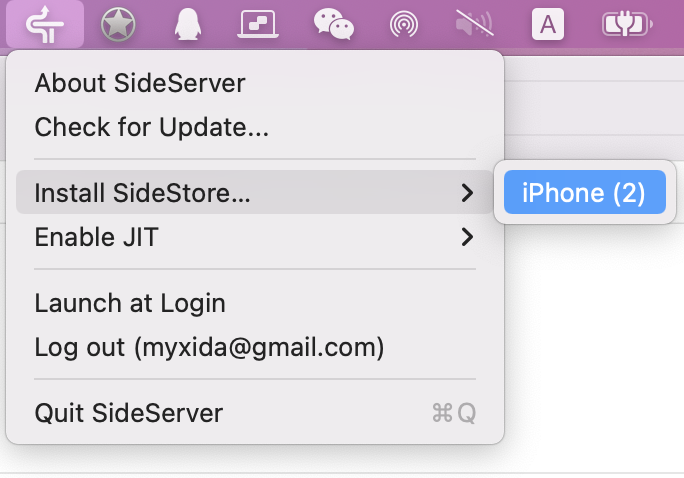
3. Install WireGuard VPN app on your iPhone or iPad.
- Install the WireGuard VPN app from App Store on your iPhone or iPad.
- Download SideStore's WireGuard configuration and "share" it to the WireGuard app.
- Remember to turn on WireGuard VPN every time you want to use SideStore to sideload apps. You can turn it off when you're done.
4. Sign in SideStore
- Open SideStore and sign in with the same Apple ID you used to install SideStore.
- Go to the My Apps tab and refresh the SideStore app itself once.
- You can now install apps from the Sources tab or any other .ipa file you have.
If you get an Pairing File notice, follow steps in this article: https://docs.sidestore.io/docs/getting-started/pairing-file/
Step 2. Install Spotilife IPA on you iPhone or iPad with SideStore
1. Download Spotilife IPA 8.6.42 on your iPhone or iPad.
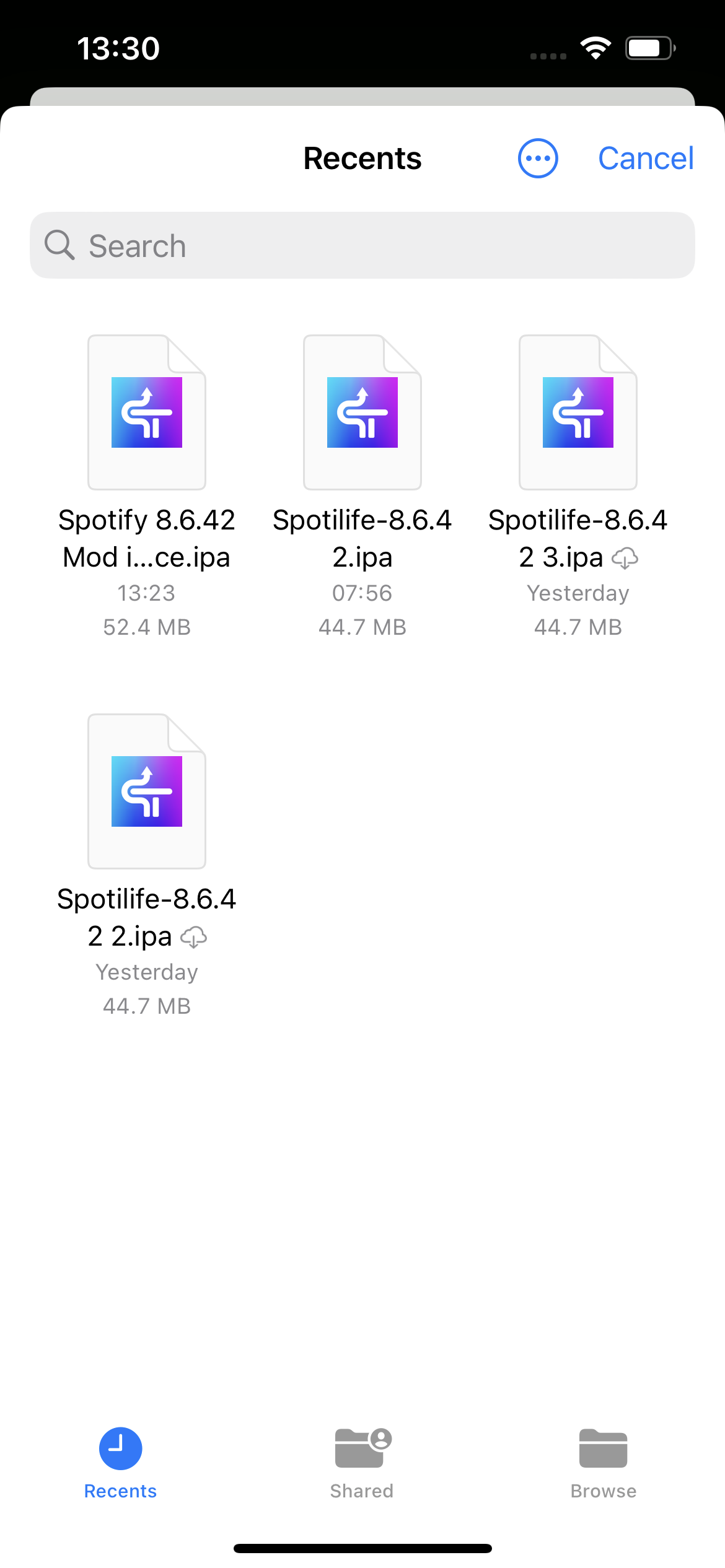
2. Open SideStore app and tap My Apps on the bottom, then tap the + icon on the top left corner to choose the Spotify MOD IPA file. Make sure WireGuard app is turned on.
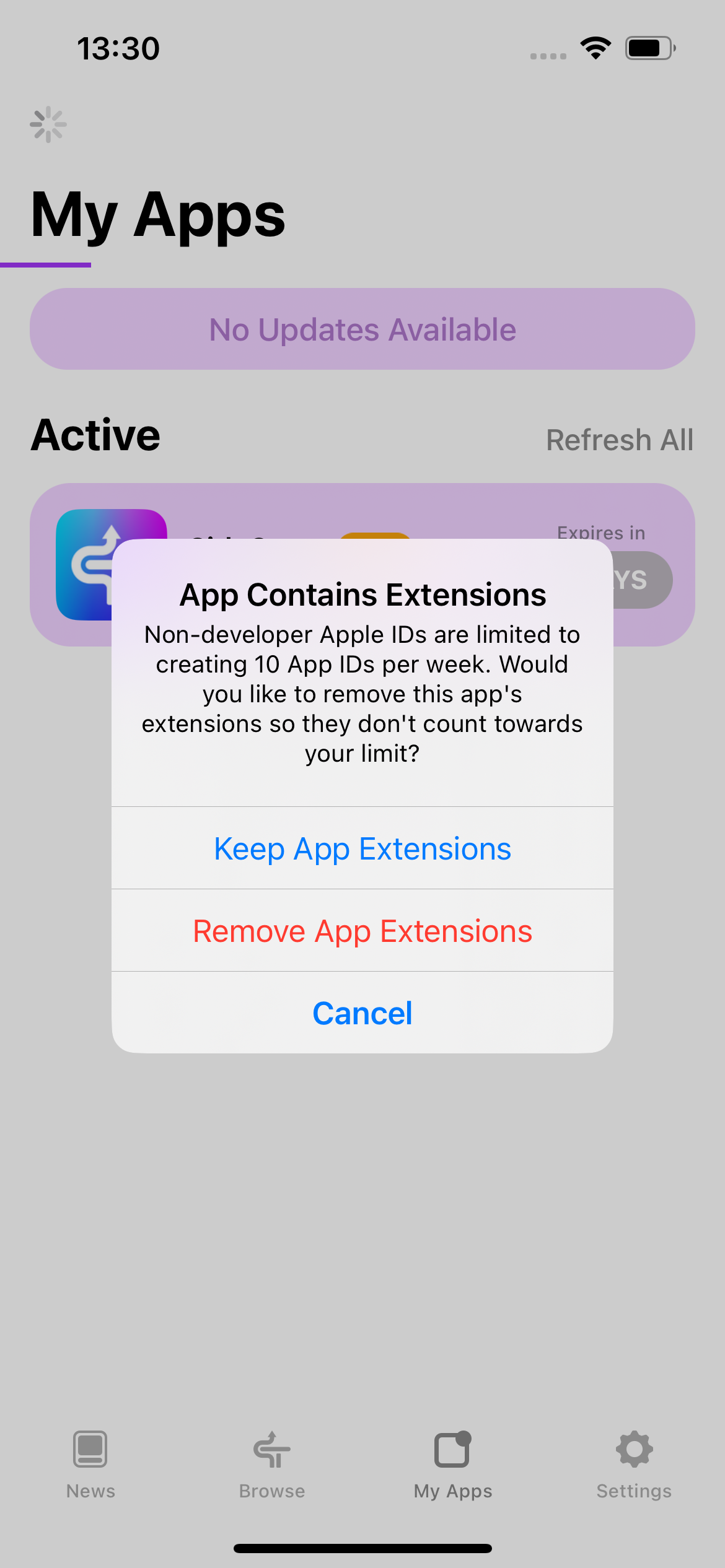
3. Choose Keep App Extensions
4. Now Spotilife v1.8 is installed on your iPhone. As you can see from the pop-up, you will get unlimited skips, ad-free treaming and extreme quality. Remember to reopen it after log in.
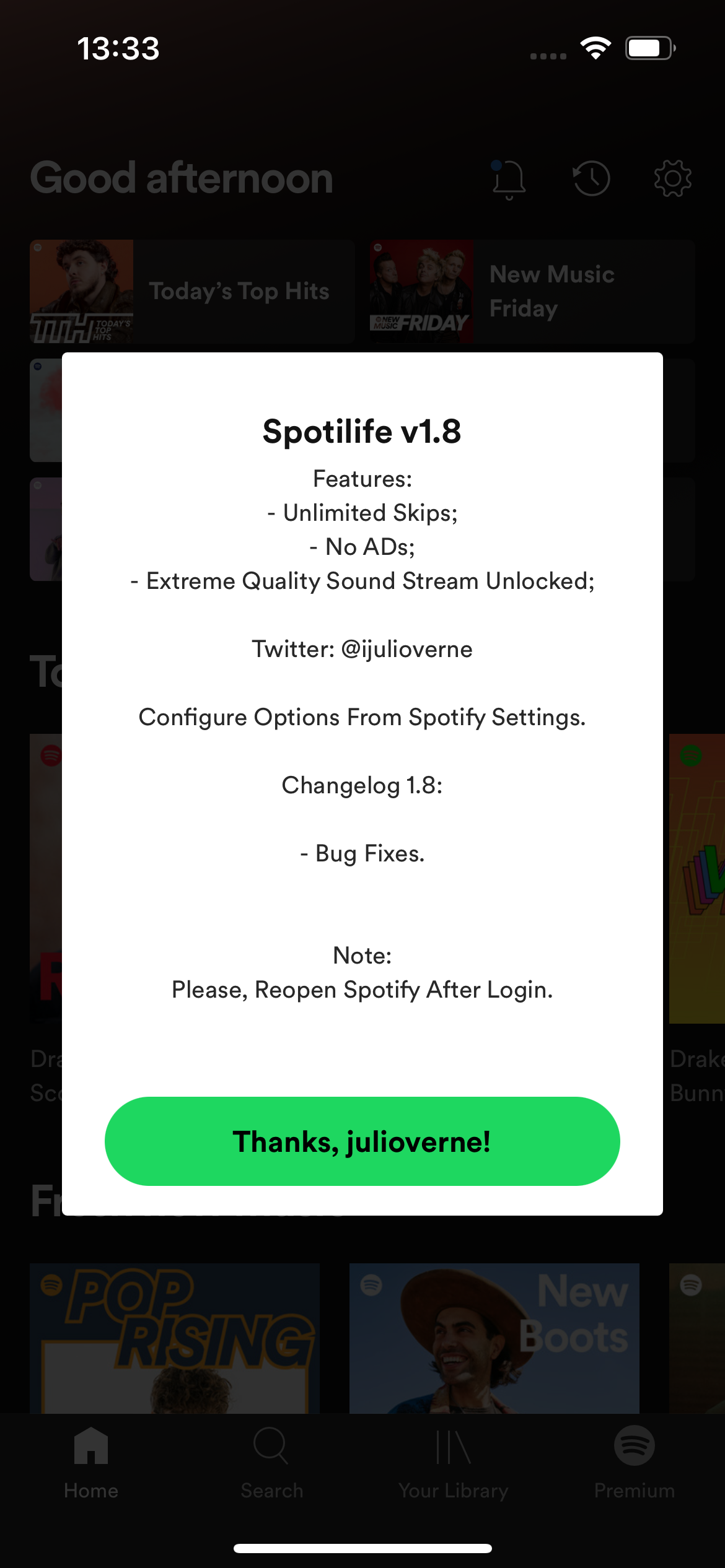
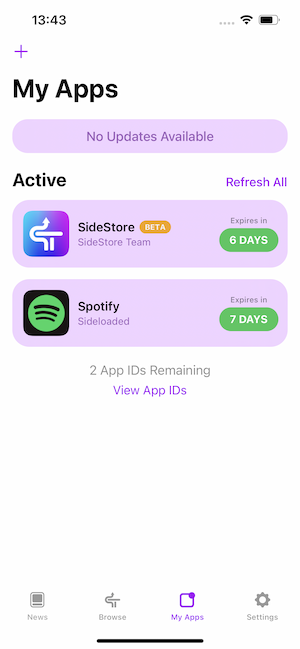
5. Remember to refresh SideStore and Spotify every 7 days.
How to fix SideStore unable to connect to the device?
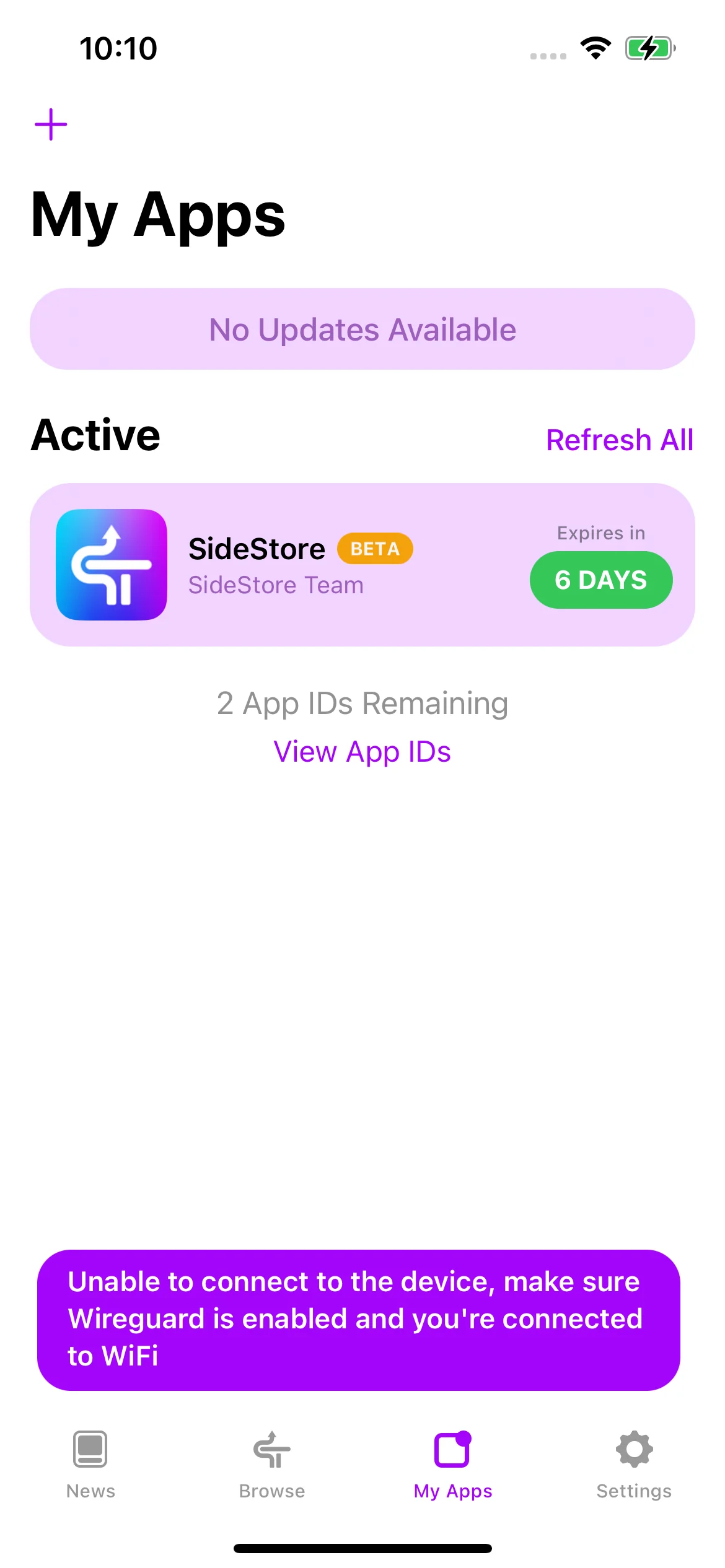
If you get this error, first make sure your iPhone is connected to WiFi and Wireguard vpn is on.
Then do a hard restart and then try after a minute. If still same then, Turn off vpn, wait 30 seconds, turn off WiFi, wait 30 seconds, turn on WiFi, wait 30 seconds, turn on vpn, wait 30, and try again.
However, Spotilife doesn't support downloading Spotify music for offline playback. To download Spotify music without premium , the best option is Ondesoft Spotify Converter, which allows you to easily download Spotify music to MP3 in 320kbps and keep all ID3 tags on Mac/Windows.
How to Download Spotify music without Premium?
With Spotify++ for iOS or Spotify premium apk, you only get partial Spotify premium features, such as ad-free, on demand music listening. However, you still can't download music to listen anywhere. If you want to download Spotify songs without Premium account, it's suggested to use a third-party tool, Ondesoft Spotify Music Converter is developped to settle this matter.
Currently the best way to get Spotify premium free on iPhone is to download Spotify songs to MP3 and then sync them to your iPhone. Ondesoft Spotify Converter features built-in Spotify web player and download songs directly from Spotify server, which it's better than YouTube-Spotify downloaders that would download the wrong version of the song and in lower quality.
Follow below steps to learn how to get Spotify premium for free by downloading Spotify music without premium with Ondesoft Spotify Music Converter.
1. Run Ondesoft Spotify Converter
Download, install and run Ondesoft Spotify Converter on your Mac or Windows. Log in your Spotify account, either free or premium.


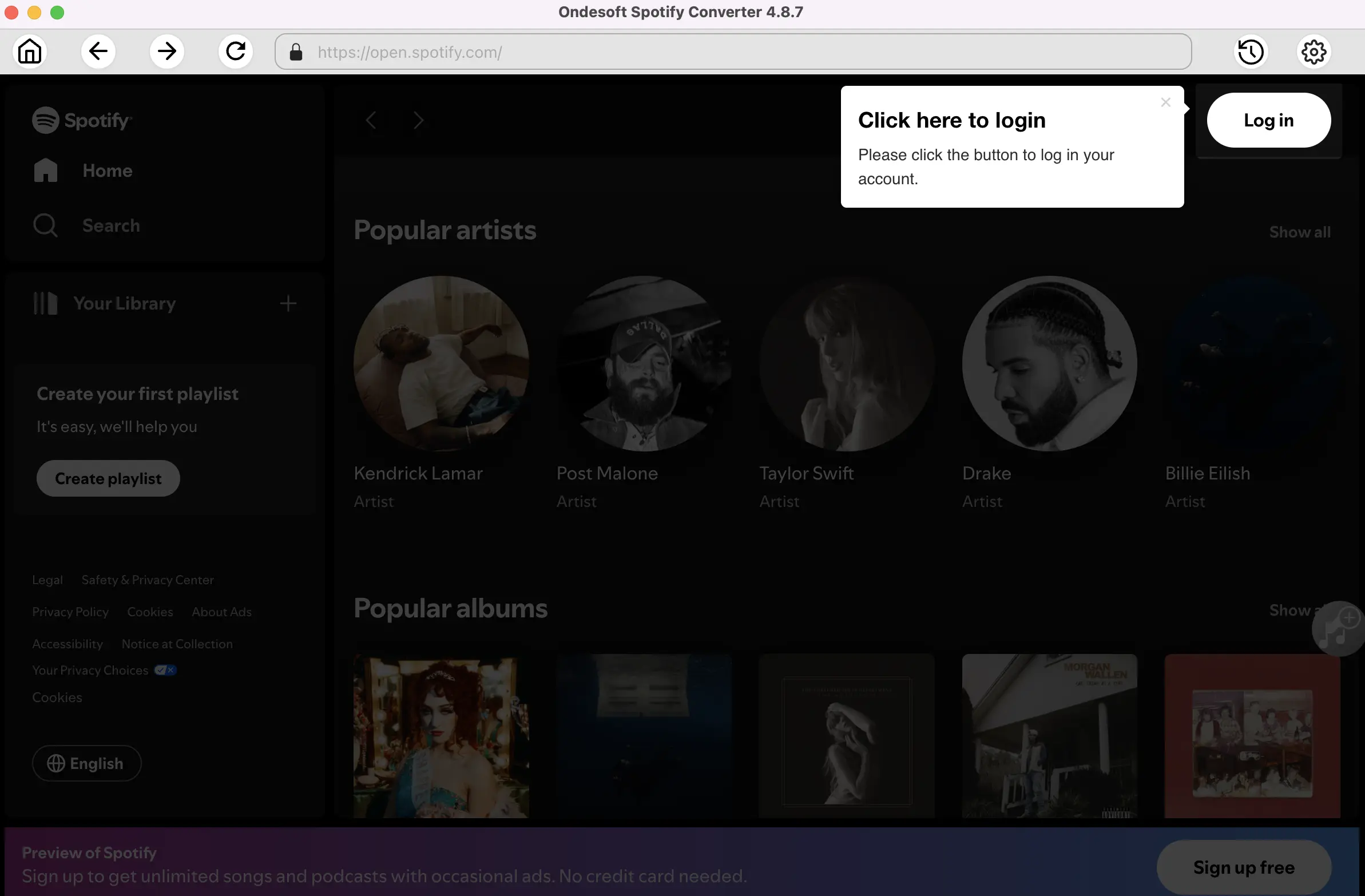
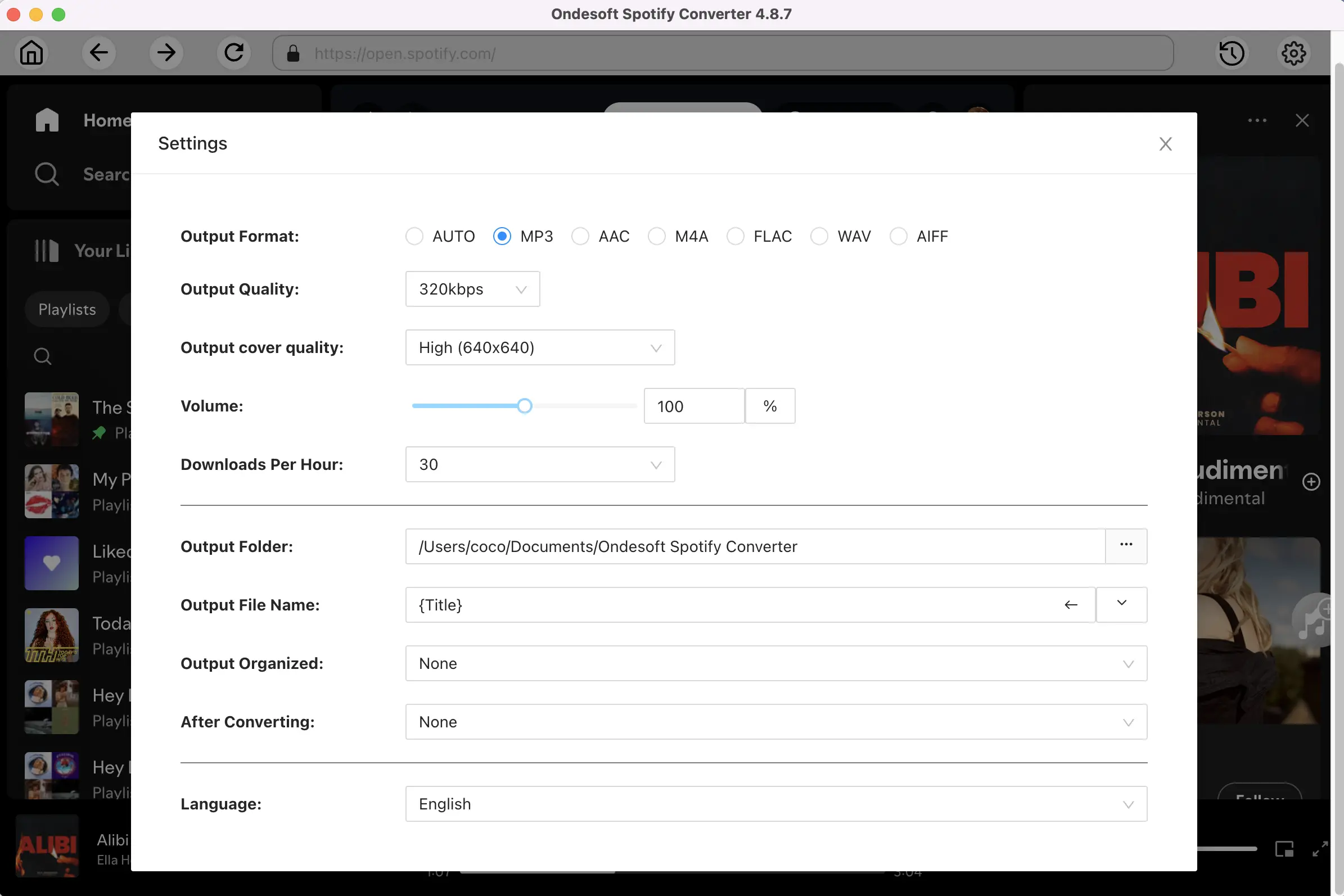
2. Customize output settings (optional)
Click gear icon on the top right corner to customize output settings. Ondesoft Spotify Converter will download Spotify songs in original format by default, mostly in M4A format. You can also change the output format to MP3, AAC, FLAC, WAV and AIFF. Change output quality, volume, filename format, etc. as you like.
3. Select Spotify songs, albums or playlists
Select Spotify songs, playlists or albums that you want to download from the built-in Spotify web player directly.
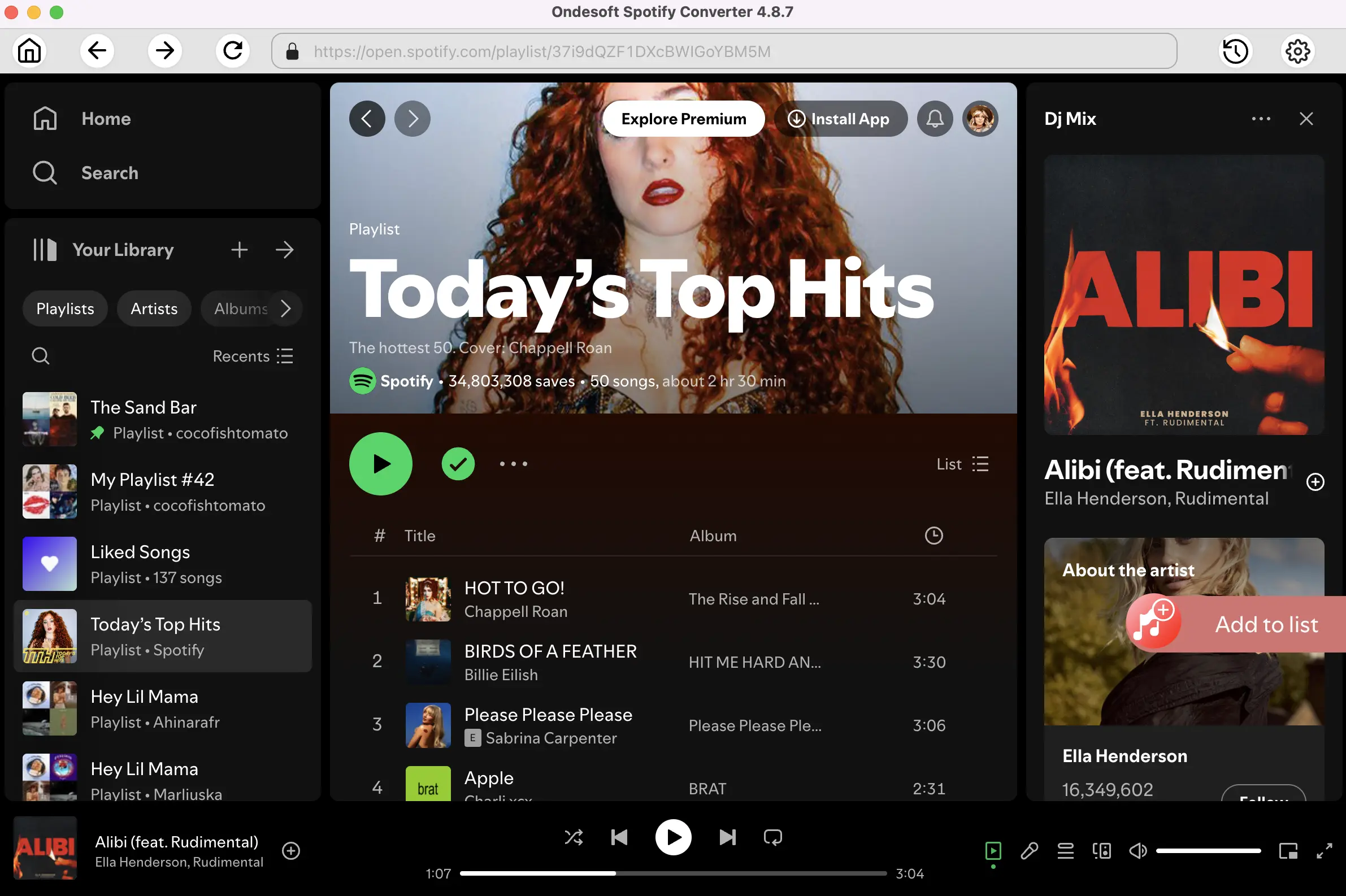
All songs in the playlist or albums will be checked by default. You can uncheck the songs you don't want to download.
4. Click Convert button
Click Convert button to start downloading Spotify music to the format you choose.
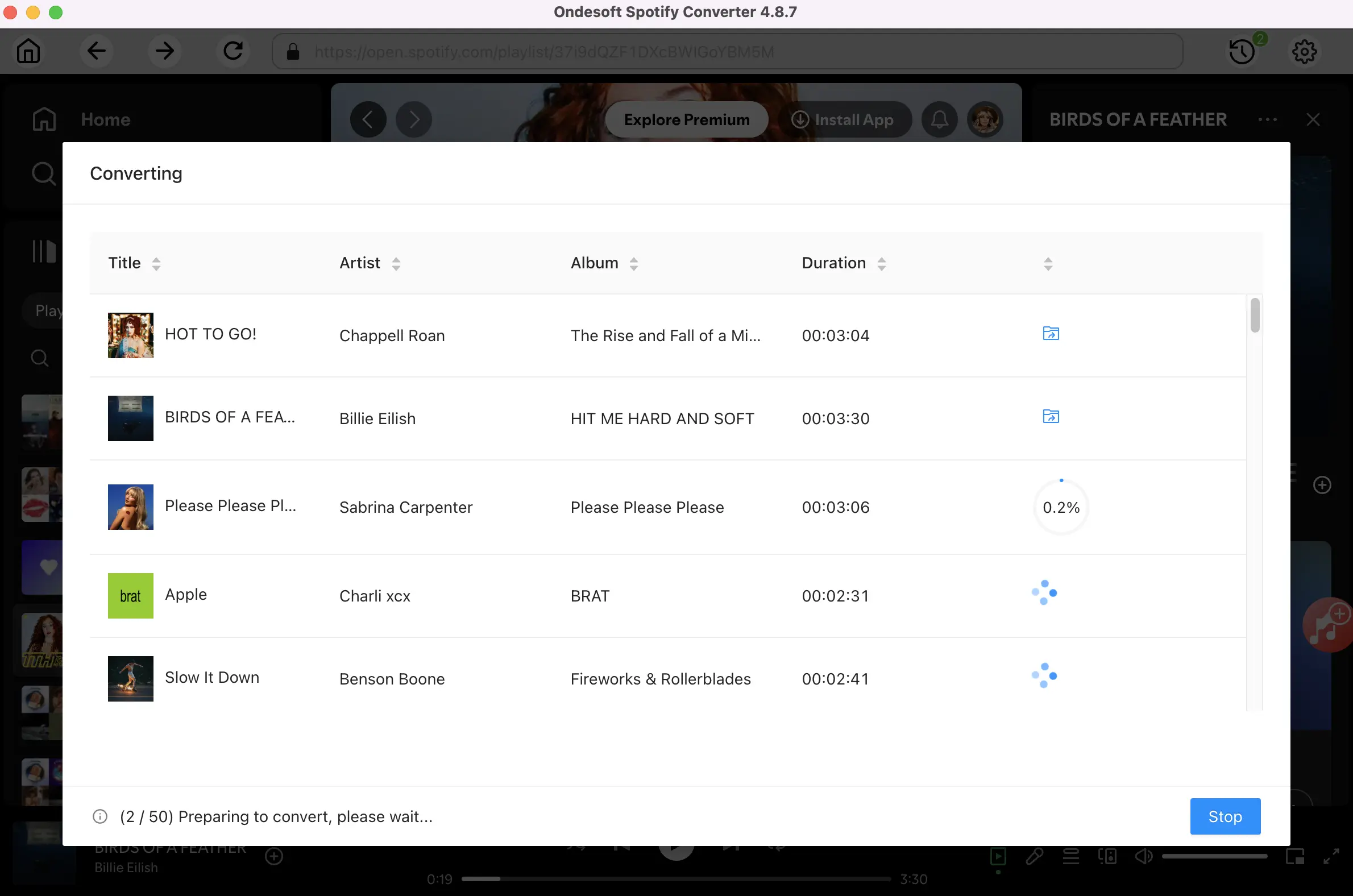
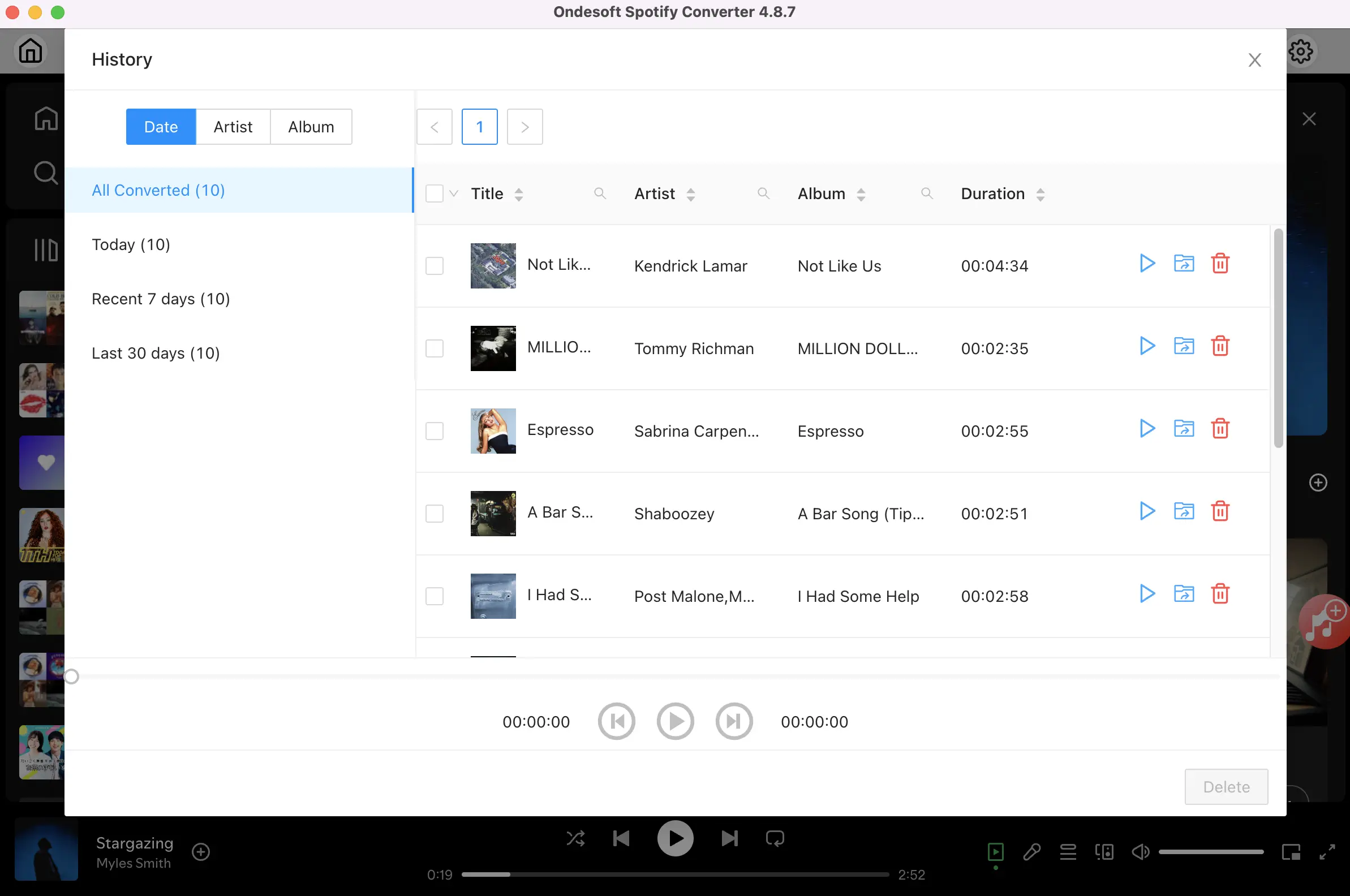
After downloading, click below folder icon to quickly locate the DRM-free Spotify songs. You can then listen to the Spotify songs offline without ads, skip any song as you like. Transfer them to your iPhone, iPad, iPod or Android devices. You can enjoy Spotify premium free on any devices that support mp3.
Conclusion
Spotilife is a powerful tweak for the official Spotify app. By installing Spotilife, you can get patrial premium features without the need for a paid subscription, allowing you to disable ads, enjoy unlimited skips. While Spotilife provides these premium features for free, it’s important to note that this tweak can’t download songs for offline playback. If you need offline feature, you’d better download Spotify songs to MP3 with Onde Spotify Converter.
Spotify Converter

Download Spotify music to MP3, M4A, etc. with either free or premium account.

