

How to Convert Spotify Playlist to FLAC (Step-by-Step Guide 2026)
Want to convert a full Spotify playlist to FLAC instead of downloading songs one by one? While Spotify allows offline listening, it doesn’t let you export playlists as FLAC or any other standard audio format.
To download an entire playlist in lossless quality, you’ll need a reliable Spotify playlist to FLAC converter. With the right tool, you can batch download all tracks while preserving audio quality and metadata.
In this guide, we’ll show you how to convert Spotify playlists to FLAC step by step.
Contents
- Can You Download Spotify Playlists as FLAC?
- Best Tool to Convert Spotify Playlist to FLAC
- How to Convert Spotify Playlist to FLAC
- Benefits of Downloading Spotify Playlists to FLAC
- FAQs
- Conclusion
1. Can You Download Spotify Playlists as FLAC?
No. Spotify does not support FLAC downloads. Even with a Premium subscription, music is only available for offline playback within the app and cannot be exported as FLAC or other standard audio formats.
2. Best Tool to Convert Spotify Playlist to FLAC
Spotify’s “very high” quality is normally taken to be 320kbps MP3. If you prefer to FLAC format, you can download Spotify music to FLAC. Ondesoft Spotify Converter is specially designed for Spotify users. It is the best Spotify songs downloader/converter to download songs from Spotify and convert them to FLAC with 100% original quality. Besides FLAC, it can also convert Spotify to mp3 , m4a and wav .
You can also check this detailed guide on Spotify to FLAC converters.
3. How to Convert Spotify Playlist to FLAC
Now, you can follow the step-by-step tutorial to start convert Spotify songs to FLAC files by Ondesoft Spotify Converter.
Step 1 Import songs or playlist from Spotify to Ondesoft Spotify Converter
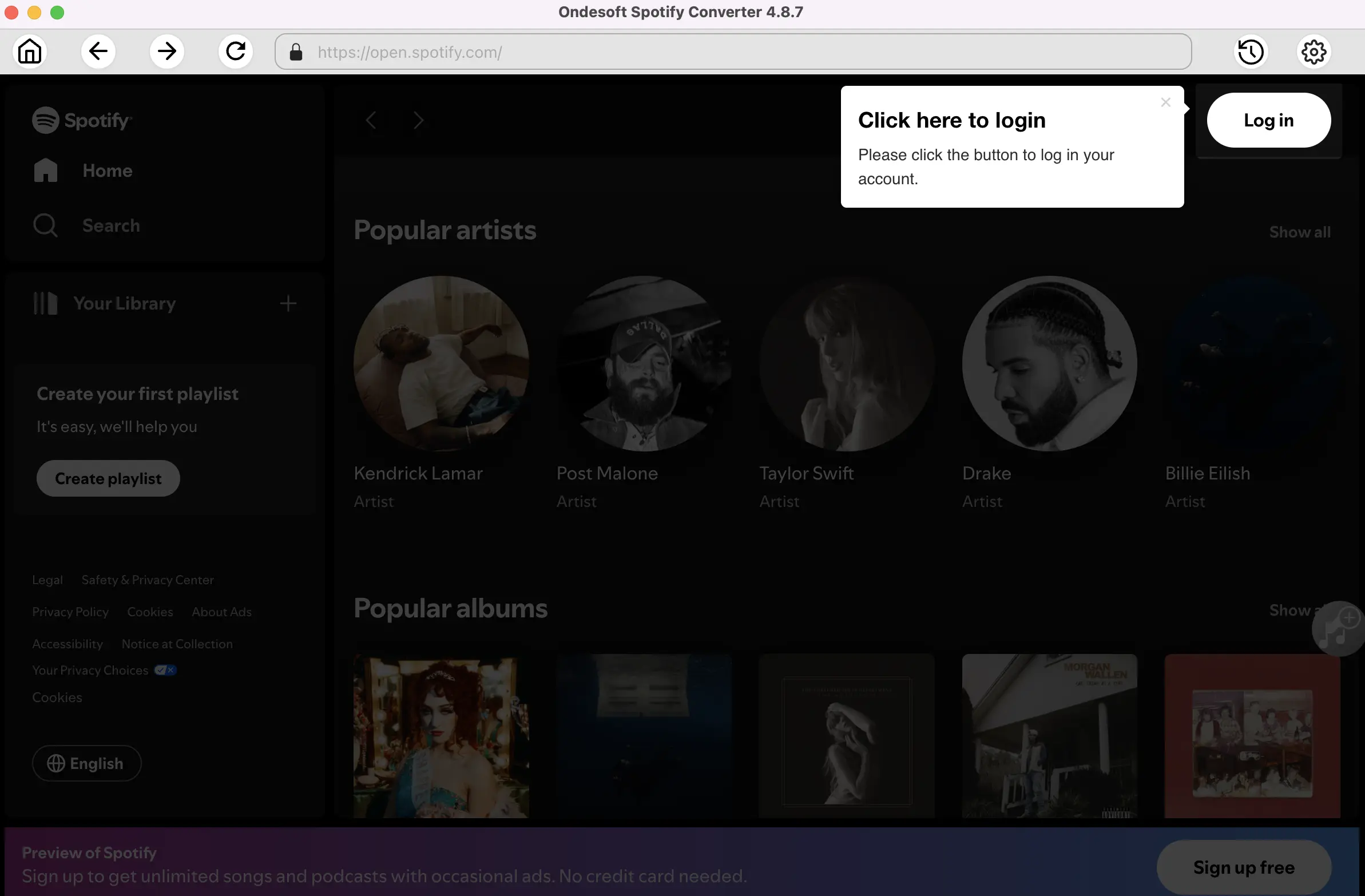
Download, install and run Ondesoft Spotify Converter on your Mac or Windows. Log in your Spotify account with the built-in Spotify web player, whether free or premium.


2. Choose output format
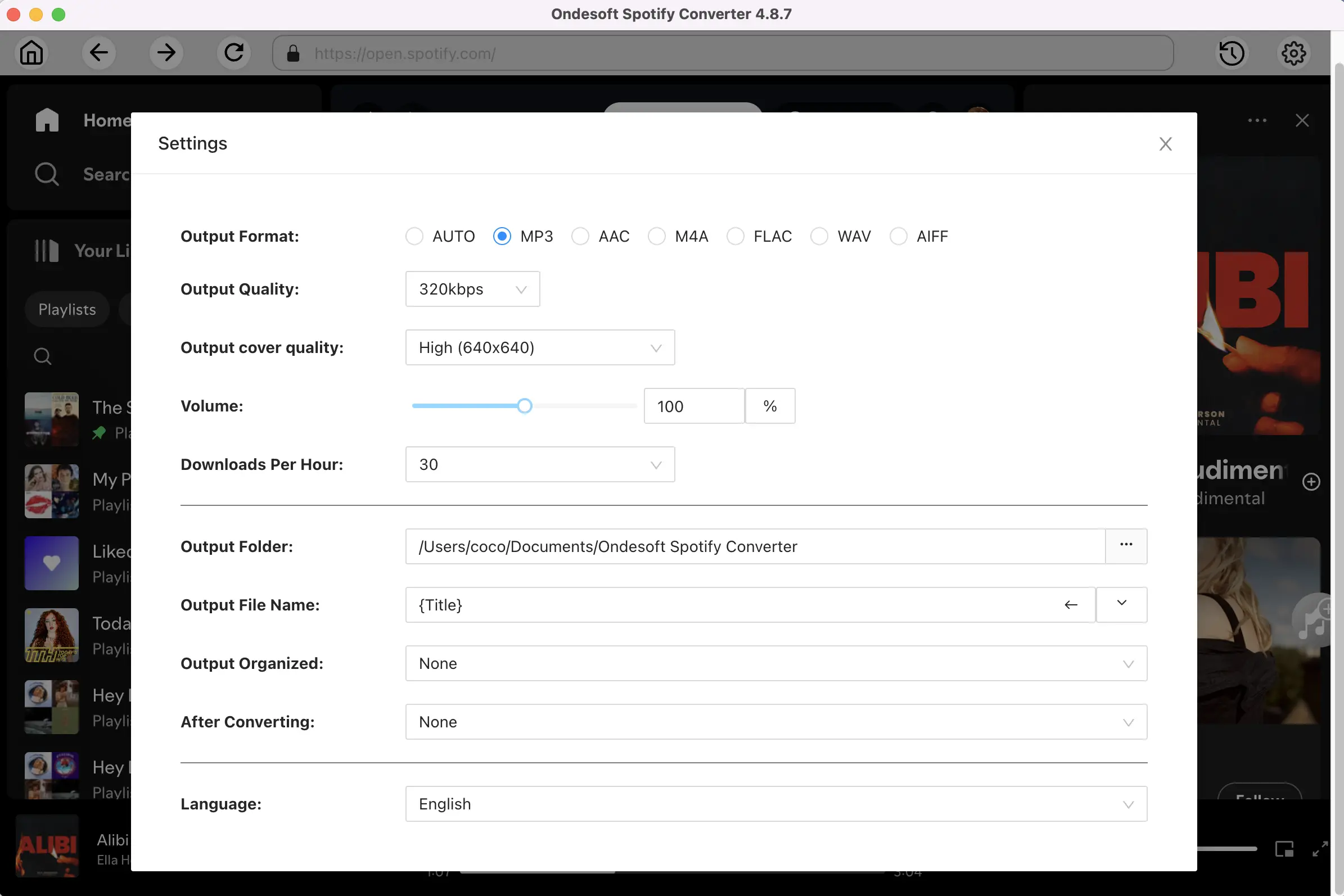
Click the Options button to choose FLAC as the output format. You can also change the output quality, cover quality, volume, file name format and output folder as you prefer.
3. Select Spotify songs, albums or playlists
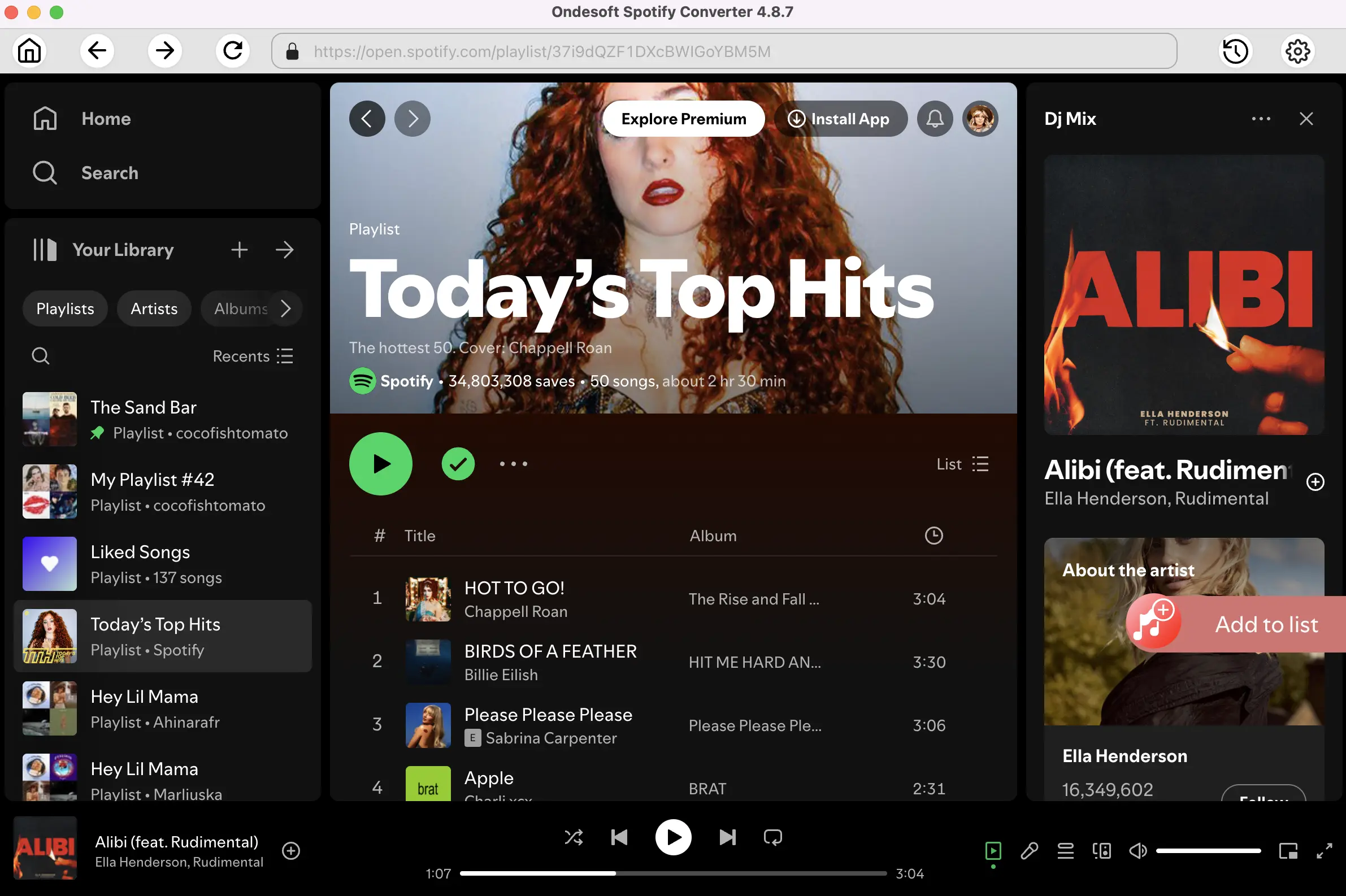
Browse or search in the integrated Spotify web player to find songs, albums, playlists or podcasts you want to download to FLAC.
4. Start downloading and converting Spotify music
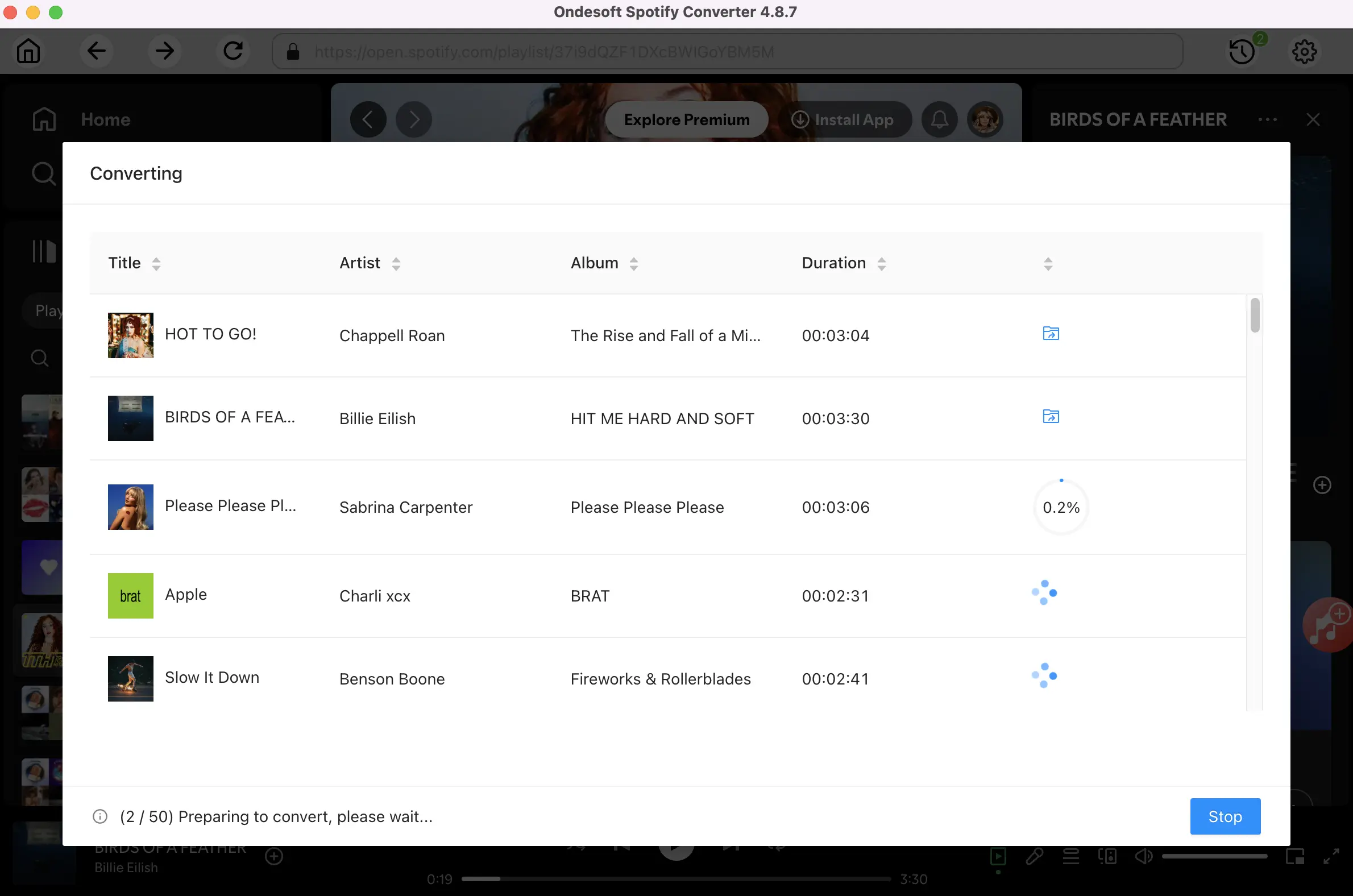
When finish the above settings, click the Convert button to start the conversion.
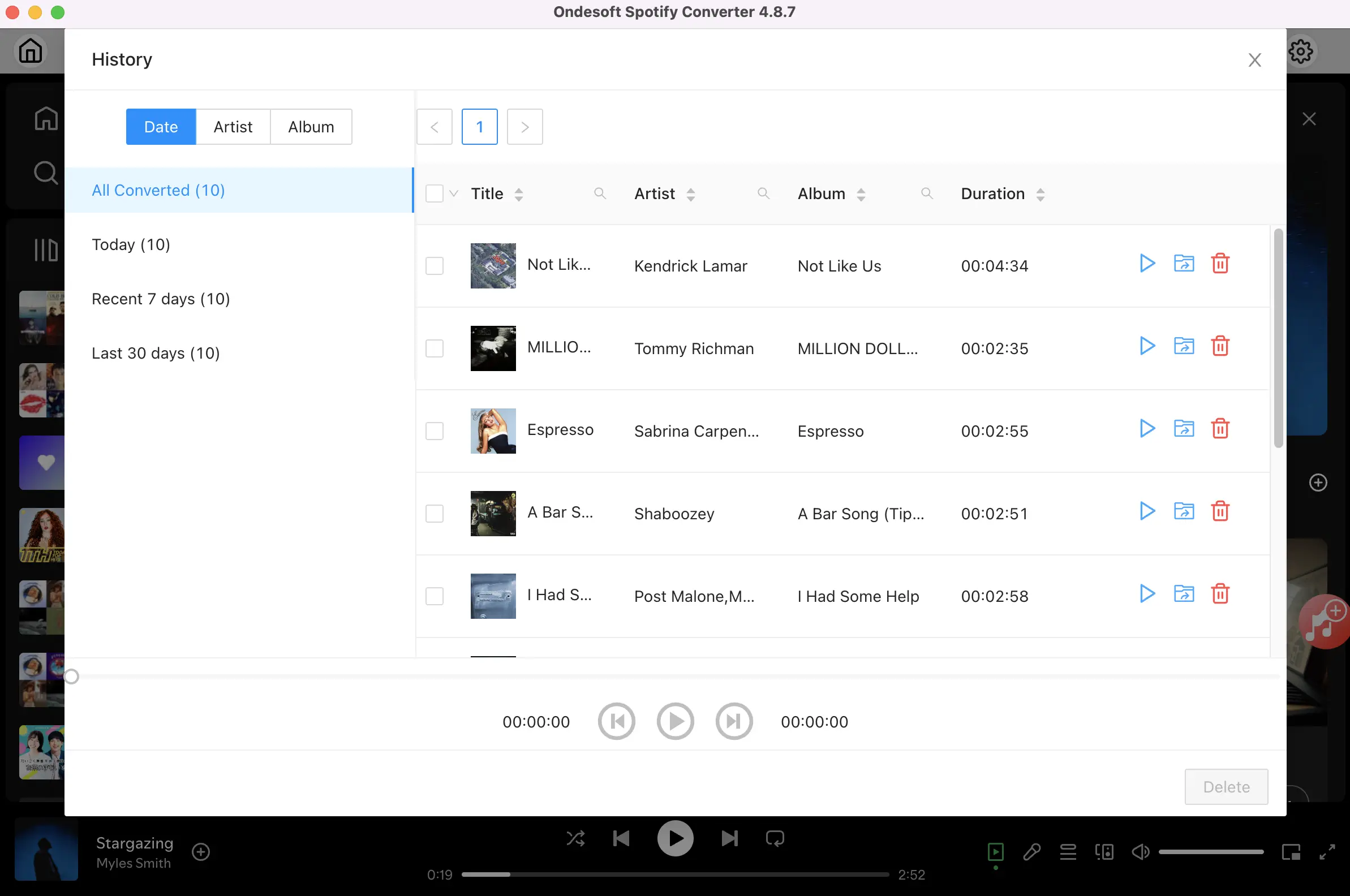
After the conversion, click the History button to locate the converted FLAC files.
4. Benefits of Downloading Spotify Playlists to FLAC
Downloading Spotify playlists to FLAC offers several advantages, especially for users who care about audio quality.
1. Lossless Audio Quality
FLAC is a lossless format, meaning it preserves the original sound without compression. Compared to MP3, this provides a richer and more detailed listening experience.
2. Offline Playback Without Restrictions
Once you save the playlist as a FLAC file, you can play it anytime without internet connection or Spotify app/web player.
3. Permanent Access to Your Music
Spotify downloads are linked to your account, but FLAC files are stored locally. This means you can keep your music even if you cancel your subscription.
4. Better Compatibility with Audio Devices
FLAC files can be played on a variety of high-end audio players, home audio systems, and software that supports lossless formats.
5. FAQs
Can I convert Spotify playlists to FLAC for free?
Yes, but free tools usually come with limitations. Most online Spotify downloaders only support single tracks or small playlists and may have issues with speed, quality, or accuracy.
For full playlist downloads in FLAC format, desktop converters are generally more reliable and stable.
Is FLAC better than MP3?
Yes, FLAC offers better audio quality because it is a lossless format, while MP3 is compressed and loses some audio data.
However, MP3 files are smaller and more compatible with different devices, making them more convenient for everyday use.
6. Conclusion
For users who want to keep the highest possible audio quality when downloading music, choosing a reliable Spotify to FLAC converter can make a significant difference.
Spotify Converter
Download Spotify music to MP3, M4A, FLAC, etc. with either free or premium account.

